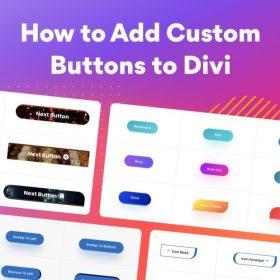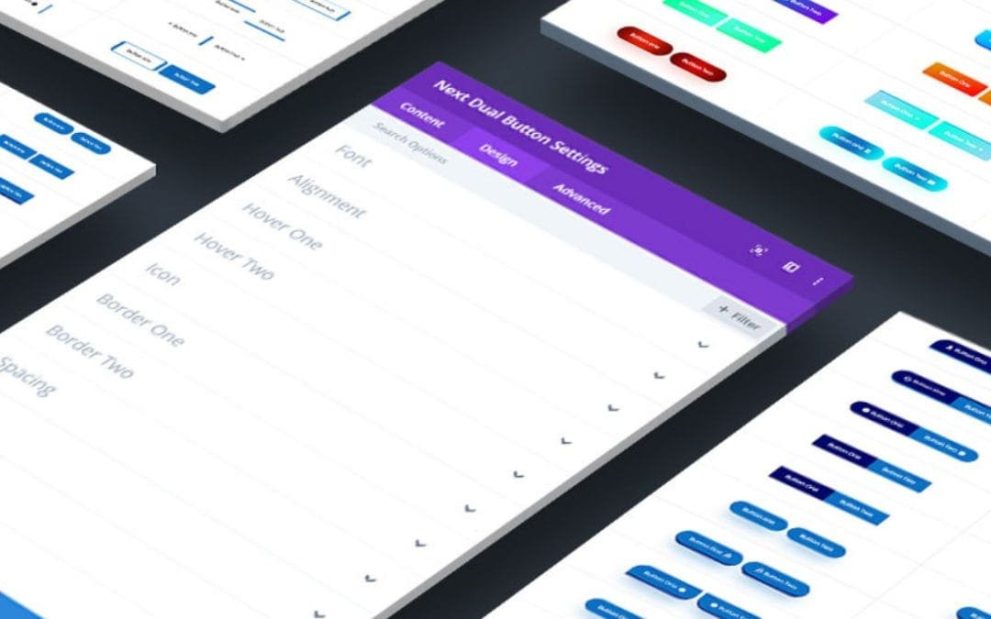

Divi Next Dual Button is a premium module for the Divi page builder that enables designers to create sleek, fully customizable dual-button layouts without coding. Ideal for call-to-action sections, hero areas, or promotional blocks, it offers unlimited dual-button combinations, custom styling, hover effects, icons, background options, and responsive behavior — helping you design modern, conversion-focused buttons that match your site’s aesthetic.
This is EXACTLY the same product as distributed by the developer. Sales Page
Note: This Product is Activated. Use the License Key "B5E0B5F8DD8689E6ACA49DD6E6E1A930" to Activate.
Divi Next Dual Button — Introduction
Divi Next Dual Button is a specialized module built for the Divi theme, designed to elevate button design on WordPress sites. Instead of a standard single button, this plugin allows you to create a pair of buttons side-by-side — a “dual button” setup — giving you more flexibility in guiding users to different actions (e.g. “Buy Now” vs “Learn More,” or “Sign Up” vs “Contact”). The module integrates directly into the Divi builder interface, making it accessible even for users with no coding experience. With an array of styling options, animation effects, and layout controls, it helps you craft visually appealing and highly functional button components that stand out, encourage clicks, and guide visitor behavior effectively.
Whether you are building a landing page, a product page, or a homepage hero section, Dual Button gives you a design-savvy, user-friendly way to present two complementary actions at once — improving your UX and conversion potential. The module’s no-code capabilities and real-time Divi builder integration make it straightforward for both developers and marketers to use, delivering professional-grade button styles and behaviors without custom CSS or JavaScript.
Key Features
- No coding required: Create and manage dual button elements using the Divi builder’s visual interface without writing any CSS or JS.
- Unlimited dual-button sets: Add as many dual-button elements as you like, each with its own customization — ideal for a variety of page sections or calls to action.
- Full styling control: Customize backgrounds (colors, gradients, images, GIFs, video), borders (stroke, width, radius), paddings, margins, and typography to match your site design.
- Icon support: Choose from an icon bundle to add icons to each button — enhancing clarity and visual appeal.
- Hover & animation effects: Apply hover animations to text, icons, and button backgrounds for interactive feedback and richer UI experience.
- Responsive behavior: Buttons adapt to different screen sizes, ensuring the dual-button layout remains clean and functional on desktops, tablets, and mobile devices.
- Transform & layout control: Fine-tune the shape, alignment, and positioning of buttons to fit various layout contexts (hero section, content block, call-to-action area, etc.).
- Blend modes & advanced filters: Use color blend effects and filters to create visually unique buttons that stand out from standard button styles.
- Dynamic content compatibility: Integrate dynamic content into the button text or link, allowing context-based button actions (e.g. user-specific links, dynamic posts, etc.).
- Regular updates & support: Ongoing updates and support ensure compatibility with new versions of Divi and WordPress, and help resolve potential issues.
Getting Started
To start using Divi Next Dual Button, first install and activate the module on your WordPress site with the Divi theme. Open the Divi builder for the page where you want to add dual buttons, and add a new “Dual Button” module block. From there, you’ll see customization options for button texts, links, icons, background types, colors, borders, padding, and hover effects — all editable visually.
Configure the first and second buttons independently: set their labels, target URLs, icons (if any), and style properties. Choose layout settings like alignment (left, center, right), spacing between buttons, and responsiveness options. Preview the result on desktop, tablet, and mobile views to ensure layout integrity across devices.
If needed, enable animation effects or hover transitions to make buttons more interactive. Adjust background type — solid, gradient, image, GIF, or even video — to match your site’s branding or design theme. Finally, save or publish the page. Because the module works within Divi, updates or further style adjustments can be made easily, without touching code.
Summary
Divi Next Dual Button is a versatile, design-first module that transforms standard button usage into a powerful dual-action tool. Its feature-rich styling options, icon support, animations, and responsive behavior help create professional call-to-action elements that align with modern design standards and conversion goals. Perfect for landing pages, hero sections, banners, or any part of your site where you need two linked actions side by side, this plugin delivers flexibility, visual appeal, and user-friendly controls — all without coding. Whether you’re a designer, marketer, or site owner, Dual Button simplifies the process of building beautiful and effective button sets in Divi.
- Categories: WordPress Plugins
- Tags: Divi Next