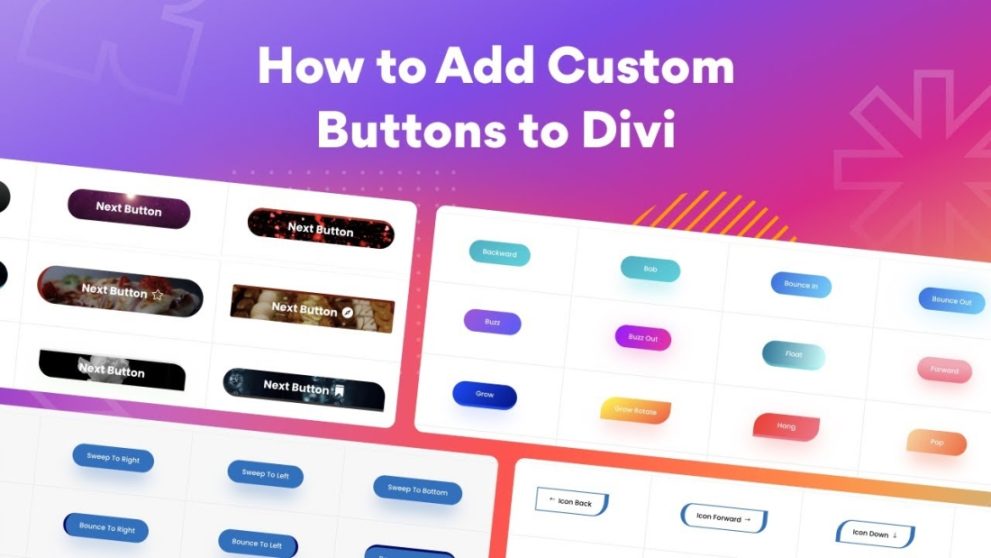

Divi Next Button is an advanced button module for Divi Builder that enables creation of highly customizable, visually striking buttons. It provides features like animated hover effects, icons, dynamic backgrounds (colors, gradients, images, GIFs, video), border styling, transform controls, and responsive design. Ideal for CTAs, landing pages, or interactive elements — all without coding required.
This is EXACTLY the same product as distributed by the developer. Sales Page
Note: This Product is Activated. Use the License Key "B5E0B5F8DD8689E6ACA49DD6E6E1A930" to Activate.
Divi Next Button — Introduction
Divi Next Button is a powerful enhancement to the standard Divi button capabilities, designed for users who want more creative control and visual flair in their calls‑to‑action. Rather than using the basic button styles provided by Divi, this plugin adds a comprehensive set of design and styling options — from animated hover effects and icon support to background blending, border customization, and transform effects. This makes it easy to create professional, attention‑grabbing buttons that match your site’s branding and conversion goals.
Whether you need a bold “Buy Now” button, a subtle “Learn More” call‑out, or a creative multi‑state button for landing pages, Divi Next Button delivers flexibility and polish. It integrates directly into Divi Builder, allowing designers and site owners to build and style buttons visually — no CSS or JavaScript needed. With responsiveness, dynamic content support, and advanced customization, Divi Next Button gives you full control over how buttons look and behave.
Key Features
- Advanced Background Options: Use solid colors, gradients, images, GIFs or even video backgrounds for buttons to make them stand out.
- Custom Borders & Blend Modes: Add creative borders, border radii, strokes, and apply blend or filter effects for unique visual styles.
- Icon Support: Include icons alongside text to enhance clarity and appeal — ideal for action buttons or navigation links.
- 100+ Hover & Animation Effects: Apply hover animations (text, icon, background, border, transform) to draw user attention and improve interactivity.
- Transform Controls: Adjust button shape, size, skew, rotation, and position for custom layout fitting and creative styling.
- Dynamic Content Compatibility: Use dynamic content (e.g. dynamic links, user‑specific text) for personalized or data‑driven buttons.
- Responsive Design: Buttons adapt across devices — desktop, tablet, and mobile — ensuring consistent UX and aesthetics.
- No-Code Builder Integration: Fully integrated with Divi Builder’s visual interface, so you design buttons visually without touching code.
- Box Shadow & Styling Controls: Customize shadows, padding, margins, typography, and more to match site branding and design systems.
- Pre‑made Style Variations: Use and modify preconfigured button presets for faster workflow and consistency across pages.
Getting Started
Install and activate Divi Next Button on your WordPress site using Divi Builder or Divi Theme. Open the Divi Builder on a page or post where you want to add a button. Add the “Next Button” module from the module list. Enter your button text and (optionally) icon. Customize background, border, typography, padding, and other styling options as desired.
Go to hover/animation settings to choose hover effects, transforms, and icon behaviors. If using dynamic content, configure dynamic values for text or links. Preview the button across desktop, tablet, and mobile to ensure responsiveness. Adjust design details or transforms as needed. Once satisfied, save or publish — your custom button is now active and styled. You can duplicate or clone the module for reuse with consistent styles across the site.
Summary
Divi Next Button significantly extends the design potential of standard Divi buttons by adding rich styling, animations, and customization capabilities — all accessible via the Divi Builder interface without coding. Whether creating simple CTAs, stylish navigation buttons, or engaging calls to action, this plugin gives you the flexibility to match your site’s branding and enhance user engagement. For any Divi-based website aiming for polished, conversion-oriented design, Divi Next Button is a strong and versatile choice.
- Categories: WordPress Plugins
- Tags: Divi Next