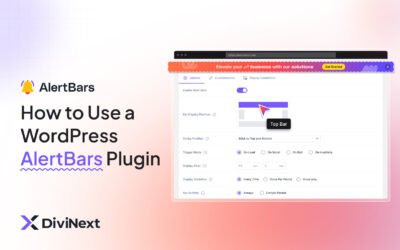

AlertBars is a powerful WordPress/Divi plugin to display customizable notification or alert bars on your site — ideal for announcements, special offers, warnings, or urgent messages. You can control how and when bars appear, choose their position (top, bottom, sidebar), and style them to match your brand. It draws visitor attention immediately, helping to boost engagement, conversions, or important notifications right when they land on the page.
This is EXACTLY the same product as distributed by the developer. Sales Page
Note: This Product is Activated. Use the License Key "B5E0B5F8DD8689E6ACA49DD6E6E1A930" to Activate.
AlertBars — Introduction
AlertBars is a versatile plugin built for WordPress (and especially well‑integrated with the Divi builder) that allows you to create attention‑grabbing notification bars for your website. Rather than relying on popups or imagery that users might miss, this plugin shows a bar fixed at the top, bottom, or side of the page — ensuring your message is visible at a glance. Whether you need to announce a sale, display a site notice, warn users, or highlight a call‑to‑action, AlertBars makes it easy to deliver these messages without complicated coding or theme edits.
With flexible triggers, placement options, and a visual builder interface, AlertBars gives site owners a simple, intuitive way to manage alerts. You can control when the bar appears — immediately on page load, after scrolling, on exit intent, or after user inactivity — making it adaptable to many use cases: promotions, reminders, exit offers, or important notifications. And because it integrates with Divi (or standard WordPress editors), designing a bar to match your site’s look is straightforward and user-friendly.
Key Features
- Multiple Placement Options: Position bars at the top, bottom, or as a floating sidebar depending on the message type and site design.
- Flexible Triggers: Show bars on page load, when users scroll, on exit intent, or after a period of inactivity — giving you control over when the alert appears.
- Pre‑built Templates: Includes ready‑made bar designs for quick setup, so you don’t have to start from scratch when creating announcements or offers.
- Visual Design & Styling: Customize colors, fonts, spacing, layout, and bar behavior to match your branding without coding.
- Responsive & Device‑Aware: Bars display correctly on desktop, tablet, and mobile devices, ensuring a consistent user experience across screen sizes.
- Display Conditions & Scheduling: Control where and when bars appear — target specific pages, user roles, or devices; schedule start and end times for limited campaigns or notifications.
- Exit‑Intent & Scroll Triggers: Catch visitors leaving or engaging with content to deliver last‑chance offers, reminders, or messages when they are most likely to act.
- Sticky or Scrollable Bars: Choose whether the bar stays fixed (sticky) as users scroll, or scrolls out of view — helpful depending on how prominent you want the alert to be.
- Close Button & User Control: Provide a close button so users can dismiss the bar or hide it for a session, enhancing user experience while still delivering your message.
- Lightweight & Performance‑Optimized: Designed to load efficiently and avoid slowing down your site, even with multiple alert bars configured.
Getting Started
Begin by installing and activating AlertBars on your WordPress site with Divi or any compatible theme. Once activated, you’ll have a new “Alert Bars” menu where you can create a new bar. Give it a title, then launch the visual builder to design your bar: choose placement (top, bottom, sidebar), background colors, text, buttons or CTAs, and any other styling — such as fonts, spacing, margins, or bar height.
Next, configure when the bar should appear. Decide on trigger behavior — immediate on page load, after a user scroll threshold, on exit intent, or following a period of inactivity. Optionally, set a delay for display or schedule start/end dates if the alert is time‑sensitive (like promotions or announcements). Adjust display conditions such as specific pages, user roles, or device types to tailor messaging to your audience.
Once configured, preview the bar to test appearance across desktop, tablet, and mobile. Check that triggers fire correctly and that the bar doesn’t interfere with usability or essential content. If satisfied, save and publish — the alert bar will be active site‑wide or as per your conditions. You can create multiple bars for different messages or campaigns and manage them from the AlertBars dashboard.
Summary
AlertBars is a practical, flexible, and powerful tool to deliver important messages, promotions, or calls to action directly to your website visitors, right when they arrive or when they’re about to leave. With full customization, diverse trigger options, and Divi integration, it combines ease of use with strong marketing capabilities. Whether you aim to boost conversions, share updates, or enhance user communication, AlertBars helps you make your messages unmissable — without compromising design, performance, or user experience.
- Categories: WordPress Plugins
- Tags: Divi Next