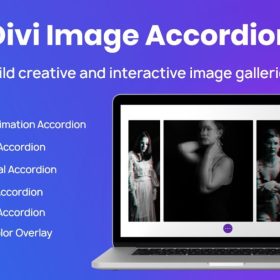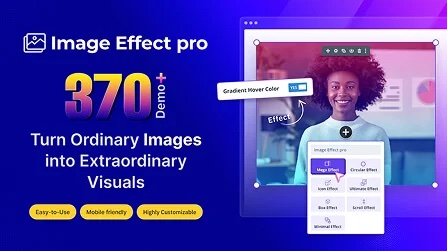

Next Image Effect Pro is a WordPress plugin that transforms standard images into interactive, animated, and visually engaging elements. It provides a wide array of effects such as hover animations, 3D parallax, grayscale-to-color transitions, zoom effects, overlays, and more — all manageable without coding. Perfect for portfolios, galleries, blogs or e-commerce sites looking to make images stand out and attract visitor attention.
This is EXACTLY the same product as distributed by the developer. Sales Page
Note: This Product is Activated. Use the License Key "B5E0B5F8DD8689E6ACA49DD6E6E1A930" to Activate.
Next Image Effect Pro — Introduction
Next Image Effect Pro is a versatile plugin designed to elevate the visual impact of images on WordPress sites. Rather than displaying static images, this plugin applies dynamic, interactive effects — such as hover transitions, overlays, zoom-in, parallax shifts, grayscale-to-color reveals, and animation sequences — to make content more engaging. This is ideal for photographers, designers, agencies, bloggers, or e‑commerce stores that want images to draw attention and increase user interaction.
Images play a key role in first impressions and user experience. Static visuals often blend into the background, but with Next Image Effect Pro, each image becomes a dynamic element of the page. The plugin integrates seamlessly with the WordPress editor and major page builders, enabling you to assign effects easily without needing custom code. Whether you’re building a portfolio, product gallery, blog post, or landing page, this plugin helps images pop and keeps visitors engaged longer.
Key Features
- Hover & Mouse Effects: Add smooth hover animations such as fade, slide, zoom, rotate, blur, or overlay reveal when users hover over images — enhancing interactivity and user attention.
- 3D / Parallax Effects: Apply subtle 3D or parallax movements to images that respond to mouse movement or scroll, giving depth and dynamic feel to flat visuals.
- Color Effect Transitions: Change images from grayscale to full color, or transition between different effects on interaction — useful for creative galleries or highlighting featured items.
- Zoom & Magnify: Allow zoom-in or magnification on hover or click, ideal for showcasing product details, art, or photography with attention to detail.
- Overlays & Captions: Superimpose overlay layers with custom text, icons or buttons on images — great for call-to-action visuals or informative displays.
- Responsive Behavior: Effects are optimized for desktops, tablets, and mobile devices to ensure consistent user experience across all screen sizes.
- Page Builder Compatibility: Works with major page builders and the default WordPress block editor, making integration into any layout straightforward.
- No Coding Required: Configure all effects and settings through an intuitive visual interface, without needing custom CSS or JavaScript.
- Performance Optimization: Built with lightweight scripts and optimized loading to avoid slowing down your page or affecting SEO performance.
- Customizable Settings: Control animation speed, delay, effect intensity, overlay styling, and hover behavior to match your site’s design language.
Getting Started
Install and activate Next Image Effect Pro from your WordPress dashboard. Once activated, locate the image effect options in the block editor or your page builder. Add an image element, then choose from the available effect presets or customize your own settings — such as hover animation type, overlay style, transition timing, zoom scale, or parallax depth.
After configuring the effect, preview the image to ensure the behavior matches your expectations. Test across multiple devices (desktop, tablet, mobile) to verify responsiveness. If necessary, adjust performance settings to maintain fast load times, such as disabling heavy effects on mobile or enabling lazy loading.
Once satisfied, apply the effect and publish or update your page. You can reuse the same configuration on multiple images or create unique styles per image depending on your design needs. Because the plugin integrates smoothly with page builders, editing or updating image effects later remains easy and flexible.
Summary
Next Image Effect Pro turns ordinary images into dynamic, engaging elements that enhance user experience, increase engagement, and elevate the visual appeal of your site. Its array of hover animations, parallax and 3D effects, overlay options, responsive design, and builder compatibility make it an excellent choice for anyone seeking to make their images stand out. Whether you’re showcasing products, photography, blog content, or creative portfolios — this plugin offers a simple yet powerful way to bring your visuals to life without coding.
- Categories: WordPress Plugins
- Tags: Divi Next