GravityView is a WordPress plugin that allows you to display Gravity Forms content on your WordPress website. Gravity Forms collects data. GravityView displays the data.
Download 5,000+ Themes & Plugins for Only $15 Join Now


GravityView is a WordPress plugin that allows you to display Gravity Forms content on your WordPress website. Gravity Forms collects data. GravityView displays the data.
This is EXACTLY the same product as distributed by the developer. Sales Page
GravityView works by creating a “View”—a custom layout that pulls data from a specific form.
Drag-and-Drop Builder: You don’t need to write HTML or PHP. You select which form fields appear in the “Multiple Entries” (list) view and which appear in the “Single Entry” (detailed) view.
Front-End Editing: You can allow users to edit the entries they submitted without giving them access to the WordPress dashboard.
Entry Approval: Admins can moderate submissions, choosing which ones appear publicly and which stay hidden until reviewed.
Search & Filters: Add a search bar to your data so users can filter by date, category, or any specific form field.
Preset Layouts:
Table: Classic spreadsheet style (best for databases).
List: Vertical layout (best for person profiles or job boards).
Maps (Pro): Displays submissions as markers on a Google Map.
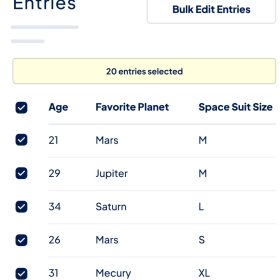
DataTables (Pro): Advanced tables with live sorting and PDF/Excel export.
Because it is so flexible, people use it for a wide variety of “mini-apps”:
Member Directories: Displaying a list of registered members or staff.
Job Boards: Allowing users to submit jobs via a form and displaying them in a searchable list.
Paid Listings: Using Gravity Forms to take payment and GravityView to display the listing once paid.
Student/Client Portals: Letting users log in to see only the data they have personally submitted.
Issue Tracking: A simple system where users submit bugs/requests and see their status.
Create a Form: Build your form using Gravity Forms.
Create a View: In the WordPress menu, go to GravityKit > New View and select your form.
Choose Layout: Pick a template (e.g., Table or Map).
Configure Fields: Drag and drop the fields you want to show.
Publish: Embed the View on any page using a Block or Shortcode.