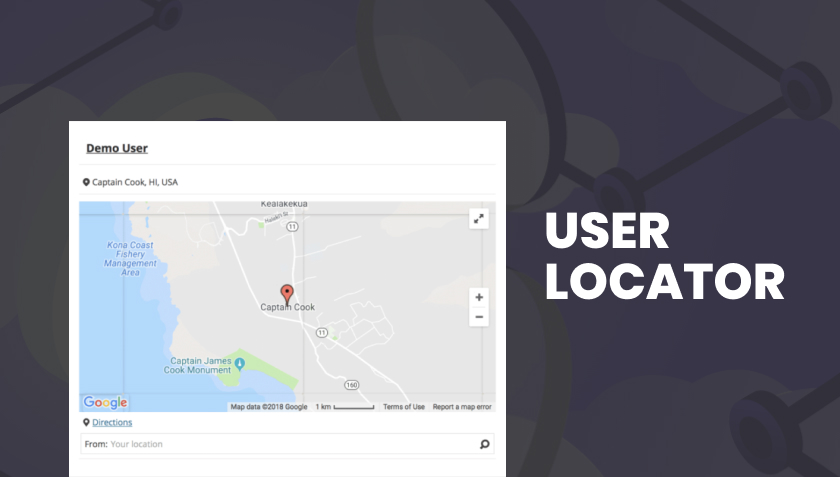

WP Job Manager User Locator automatically determines a visitor’s location and pre-fills the “Location” search field on your job board, helping job-seekers find nearby listings instantly. Ideal for local or regional job portals, this plugin improves the user experience by removing the need for users to manually enter their area, and supports multiple address formats to ensure accurate results.
$4.99
Download 5,000+ Themes & Plugins for Only $15 Join Now

This is EXACTLY the same product as distributed by the developer. Sales Page
What is User Locator?
When visitors arrive on a job board, asking them to manually enter their location adds friction and may reduce conversions. User Locator removes that barrier by automatically detecting the user’s geographic location—based on browser geolocation or IP lookup—and populating the location field in the job-search form. This ensures relevant local jobs are shown more effectively.
Key Features
- Automatically populates the location search field based on the visitor’s geolocation.
- Supports multiple address formats (e.g., street address, postal code, locality) with priority-based selection for more precise matching.
- Works seamlessly with job-listing search forms so users receive results relevant to their immediate area.
- Responsive design: optimized for desktop and mobile to support users across devices.
- Detailed documentation and configuration options for location detection, rounding, and handling search radius.
Typical Use Cases
- A job board serving a metropolitan area wants job-seekers to instantly see local opportunities without typing their location.
- A regional employment portal for part-time or casual jobs needs to reduce search friction and improve match relevance for mobile users.
- A staffing agency’s site offers a map of jobs and wants to auto-detect a user’s area, then show jobs in that radius quickly.
- A niche industry job board (e.g., hospitality, event staffing) wants to boost conversions by reducing field entry time for searchers.
Setup & Workflow
- Install and activate the plugin alongside WP Job Manager.
- In plugin settings, configure how location detection works: choose granularity (country, region, locality, postal code).
- Optionally set up fallback behavior if geolocation fails or permission is denied.
- On the front end, the location field is auto-populated when a user lands on the job-search page—users can adjust or override as needed.
- Monitor search behaviour or user feedback to ensure location detection is accurate and optimized for your target region.
Benefits for Your Site
- Reduces user effort: Job-seekers don’t need to manually enter location information, simplifying the search flow.
- Increases relevance of search results by ensuring location-based filtering is immediate and accurate.
- Improves user experience and conversion: fewer form fields and quicker results encourage longer engagement.
- Supports mobile and desktop users equally, helping job-boards capture local traffic more effectively.
- Categories: WordPress Plugins
- Tags: Astoundify, WP Job Manager