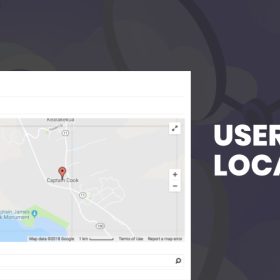

Auto Location for WP Job Manager enhances job-board search forms by offering real-time, predictive location suggestions powered by mapping services. As users begin typing a location, the plugin instantly proposes matching cities, postal codes or edges of region—making searches faster, more intuitive, and more accurate. With configurable country and language settings, this add-on suits job boards targeting local, national or international audiences.
$4.99
Download 5,000+ Themes & Plugins for Only $15 Join Now
This is EXACTLY the same product as distributed by the developer. Sales Page
What is Auto Location for WP Job Manager?
Job-boards often ask users to enter a location manually—which can slow conversions and lead to inconsistent results. Auto Location solves this by integrating autocomplete functionality into the location field of both job listings and search forms. Users get immediate suggestions as they type, reducing entry errors and improving relevancy of search results.
Key Features
- Predictive location suggestions that appear as the user types, improving speed and accuracy.
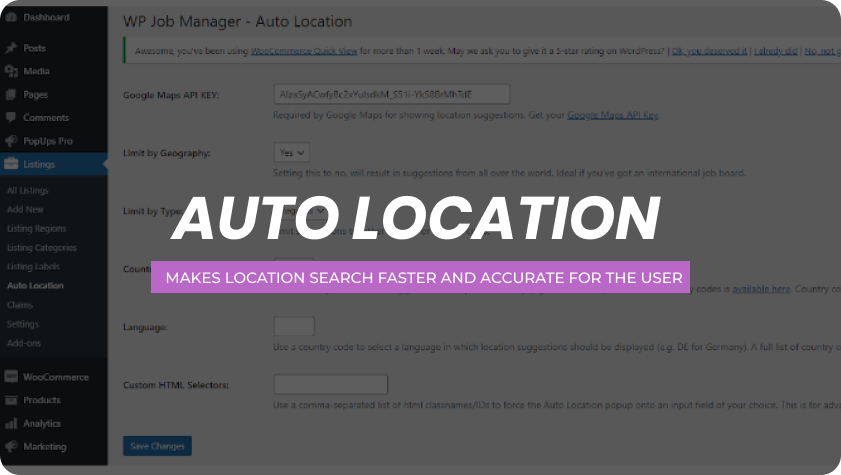
- Support for configuring by country code or language to align suggestions with your target geography.
- Ability to limit suggestion results to particular types (city only, region, postal code) for relevance.
- Option to set which mapping library or API powers the suggestions—tailored to your workflow and budget.
- Mobile responsive and designed to work with job forms, archive filters and submission pages.
Typical Use Cases
- A regional employment portal that wants job seekers to find nearby listings—auto-filling their city or area so results appear without manual typing.
- A national job board where users type partial postal codes and instantly see full suggestions, improving experience and reducing bounce.
- A multi-language job board needing location autocomplete fields to adjust by language and country for international users.
- A niche marketplace (e.g., healthcare jobs, remote opportunities) embedding location suggestion functionality in custom search filters to boost engagement.
Setup & Workflow
- Install and activate the plugin alongside your job-board base plugin.
- In the plugin settings, enter your mapping service API key and configure default country, language and suggestion types.
- Choose where autocomplete applies: search forms, job submission forms, archive filters.
- Optionally restrict suggestion results by geography or type (e.g., cities only, exclude countries).
- Test the experience from the front end: begin typing location, select suggestion, check search results or listing location consistency.
- Monitor user feedback and adjust settings (country filter, suggestion limit) to fine-tune relevancy.
Benefits
- Enhances user experience by reducing friction in entering locations and improving search relevance.
- Improves data consistency across listings and search results by enforcing controlled location input.
- Boosts conversions by faster search completion and fewer typing errors—especially important on mobile devices.
- Works for both submission and search workflows: accurate job-poster locations and more precise job-seeker search filters.
- Customisable to suit local, multi-language or global job-boards thanks to country and language settings.
- Categories: WordPress Plugins
- Tags: Astoundify, WP Job Manager