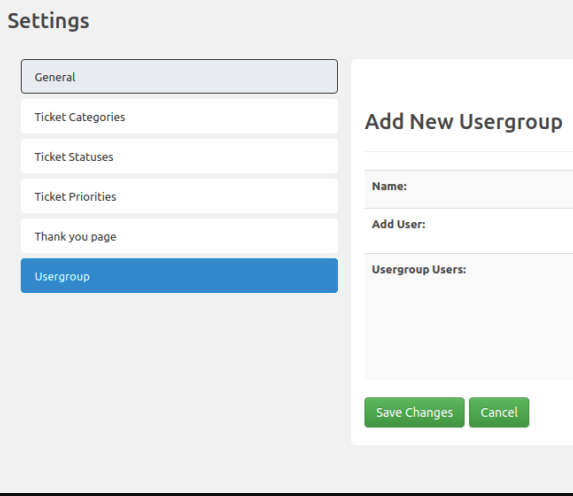

The SupportCandy Usergroup add-on allows you to create unlimited user groups with unlimited members. Members selected as supervisors can view and manage tickets created by all members of the group.
This is EXACTLY the same product as distributed by the developer. Sales Page
THIS ITEM IS ACTIVATED
1. Core Functionality
-
Company/Organization Grouping: Group multiple individual customers under a single “Usergroup” entity (e.g., all employees of “Client A”).
-
Supervisor Role: Assign one or more members as Supervisors. Supervisors have the unique permission to view and manage all tickets created by any member within their group.
-
Private vs. Shared Tickets: Members can be given the option to choose whether a ticket is “Private” (only they and agents see it) or “Group” (visible to their group’s supervisors).
-
Multi-Group Membership: A single user can be a member or a supervisor of multiple different groups simultaneously.
2. Usergroup Custom Fields
One of the most powerful specs is the ability to extend the usergroup entity itself. You can create Usergroup Fields to store metadata such as:
-
Company Address
-
Phone Numbers / Point of Contact
-
Account Manager assigned to the group
-
Contract levels or Revenue data
-
Supported Field Types: Text, Dropdown, Date, Checkbox, Radio buttons, etc.
3. Management & UI
-
Usergroup Widget: A dedicated widget can be enabled on the ticket page (for both agents and customers). This shows which group the ticket belongs to and lists other group members.
-
Agent Controls: If permitted, agents can change or assign a usergroup to a ticket manually if it was filed incorrectly.
-
Automatic Category Assignment: You can pre-select a ticket category for specific usergroups so that any ticket created by a member is automatically routed to the correct department.
4. Notifications
-
Targeted Alerts: Email notifications can be configured to trigger specifically for “Usergroup Members” or “Usergroup Supervisors.”
-
Trigger Events: Notifications can be sent when a group member creates a ticket, or when an agent replies to a ticket within that group.
5. Compatibility & Requirements
-
Plugin Requirement: Requires the core SupportCandy plugin (Free or Pro) to be installed.
-
License Type: Typically included in the “Personal,” “Professional,” or “Agency” premium bundles.
-
Self-Hosted: Data remains entirely within your WordPress database; there are no external API dependencies for the usergroup logic.
- Categories: WordPress Plugins
- Tags: SupportCandy