
SLA (Service Level Agreement) adds the function of tracking the ticket time set in the SLA policy. You can set the SLA policy in the settings with conditions and time. Whenever there is any event on the ticket, such as creating a ticket, changing the status, replying to the ticket, etc.
This is EXACTLY the same product as distributed by the developer. Sales Page
THIS ITEM IS ACTIVATED
Core Functionalities
-
SLA Policies: Create multiple policies with specific conditions (e.g., if ticket priority is “High” and category is “Technical,” set a 4-hour response time).
-
Response & Resolution Targets: Define separate time limits for the first response and the final resolution of a ticket.
-
Automatic Policy Matching: When a ticket is created or updated (status change, reply, etc.), the plugin automatically checks and applies the first matching SLA policy.
-
Business Hours & Holidays: Supports custom business schedules so that the “SLA clock” only runs during your team’s active working hours.
Agent Experience & Workflow
-
Real-time Countdown: Displays a countdown timer directly on the ticket list or within the ticket view so agents know exactly how much time is left.
-
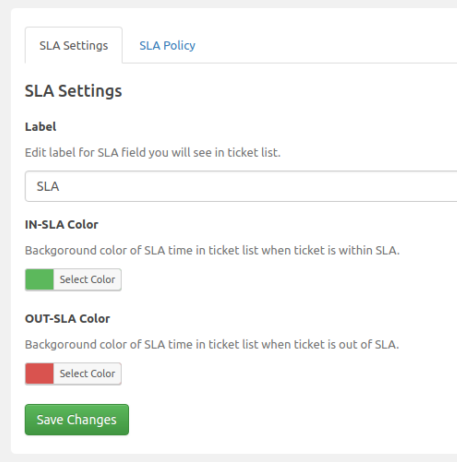
Visual Indicators: Uses color-coded labels (e.g., Green for within SLA, Red for breached) to help agents prioritize urgent tasks.
-
Automated Breach Actions: Set up triggers that occur when an SLA is breached, such as:
-
Changing ticket priority.
-
Reassigning the ticket to a supervisor.
-
Sending email notifications to specific administrators.
-
-
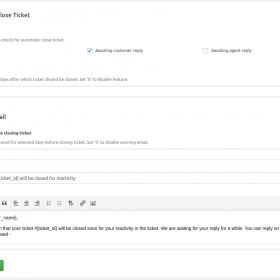
Timer Control: The SLA timer can be configured to “pause” when the ticket status is set to “Awaiting Customer Response.”
Technical Specifications
| Feature | Details |
| Compatibility | Requires SupportCandy Core Plugin (Free or Pro). |
| Pricing | ~$39.99 for a Single Site license (Standard Bundle). |
| Update Cycle | Usually includes 1 year of updates and support. |
| Data Storage | Self-hosted (data stays on your WordPress server). |
| Reporting | Integrates with the Reporting Add-on for SLA compliance analytics. |
Use Case Example
If you run a premium support tier, you can set a policy where “Gold Members” must receive a response within 2 hours. If no agent replies within that window, SupportCandy can automatically escalate the ticket to a “Urgent” status and notify the support manager.
- Categories: WordPress Plugins
- Tags: SupportCandy