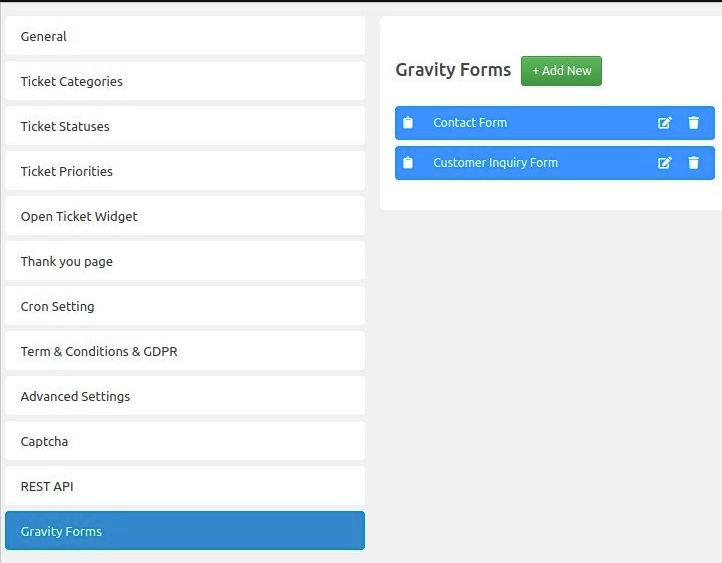

The SupportCandy Gravity Forms add-on will integrate Gravity Forms with SupportCandy. Now you can choose to create multiple forms, and you can integrate with SupportCandy to create a new ticket every time you submit any integrated form. This addon requires the free core plugin found here.
This is EXACTLY the same product as distributed by the developer. Sales Page
THIS ITEM IS ACTIVATED
The SupportCandy Gravity Forms Integration is a premium add-on that bridges Gravity Forms (the builder) and SupportCandy (the helpdesk). It allows you to use the advanced design and conditional logic of Gravity Forms to create your support tickets.
Here are the technical specifications and feature details for the integration:
1. Core Functionality
-
Automated Ticket Creation: Every time a mapped Gravity Form is submitted, a new ticket is automatically generated in SupportCandy.
-
Multiple Form Support: Unlike the default SupportCandy setup, this integration allows you to create different forms for different departments (e.g., a “Sales” form and a “Technical Support” form) and route them all to the helpdesk.
-
Field Mapping: You can visually map Gravity Form fields to SupportCandy ticket fields.
-
Attachment Handling: Support for mapping file upload fields, ensuring user-submitted documents or screenshots are attached directly to the ticket.
2. Supported Field Mappings
The integration allows for the mapping of most standard and advanced Gravity Form fields, including: | Field Type Category | Supported Fields | | :— | :— | | Standard | Single Line Text, Paragraph Text, Drop Down, Number, Check Boxes, Radio Buttons, Hidden | | Advanced | Name, Date, Time, Phone, Address, Website, Email, File Upload, Consent | | Specialty | Captcha, List, Multiselect |
3. Technical Requirements
To run this integration, your WordPress environment must meet the following minimums:
-
WordPress Version: 5.6 or higher (SupportCandy recommends staying within the last two major releases).
-
PHP Version: 7.4 or higher (8.0+ recommended for Gravity Forms).
-
Database: MySQL 8.0+ or MariaDB 10.6+.
-
Required Plugins: * SupportCandy (Core): Version 3.x.
-
Gravity Forms: Must be installed and licensed separately.
-
SupportCandy Gravity Forms Add-on: Requires a SupportCandy Premium Plan.
-
4. Setup Workflow
-
Install: Activate SupportCandy, Gravity Forms, and the Integration Add-on.
-
Create: Build a new form in Gravity Forms with the fields you need.
-
Map: Navigate to Support > Settings > Gravity Forms in your WordPress dashboard.
-
Configure: Add a “New Mapping,” select your Gravity Form, and link each form field to the corresponding SupportCandy field.
-
Test: Submit a form on your frontend and verify the ticket appears in the SupportCandy “All Tickets” list.
5. Notable Features
-
Guest Ticket Support: If your Gravity Form collects an email, it can create tickets for guests (non-logged-in users) if SupportCandy settings allow it.
-
Entry Widget: Recent updates (v3.1.3+) added a Gravity Forms entry widget that displays the Ticket ID within the entry details for easier admin tracking.
-
Compatibility: Works with most SupportCandy extensions, such as SLA and Email Piping.
- Categories: WordPress Plugins
- Tags: SupportCandy