
The SupportCandy Knowledgebase Integration can be integrated with popular Knowledgebase plugins so that agents can use the knowledge base when responding to tickets. They can insert knowledge base links or knowledge base content to reply to descriptions, just like macros or canned responses
This is EXACTLY the same product as distributed by the developer. Sales Page
THIS ITEM IS ACTIVATED
Key Features
-
Agent Reply Enhancement: Adds a “Knowledgebase” link directly below the ticket reply form. Agents can search for articles and insert either the Article Link or the Full Content into their response with a single click.
-
Smart Suggestions (Macros): The integration analyzes the ticket subject and compares it against knowledgebase article tags. It then suggests the top 3 matching articles within the reply area.
-
Customer Self-Service: You can include these smart suggestions in automated email notifications. If a customer receives a “Ticket Created” email with a link to the exact solution they need, they may resolve the issue before an agent even opens the ticket.
-
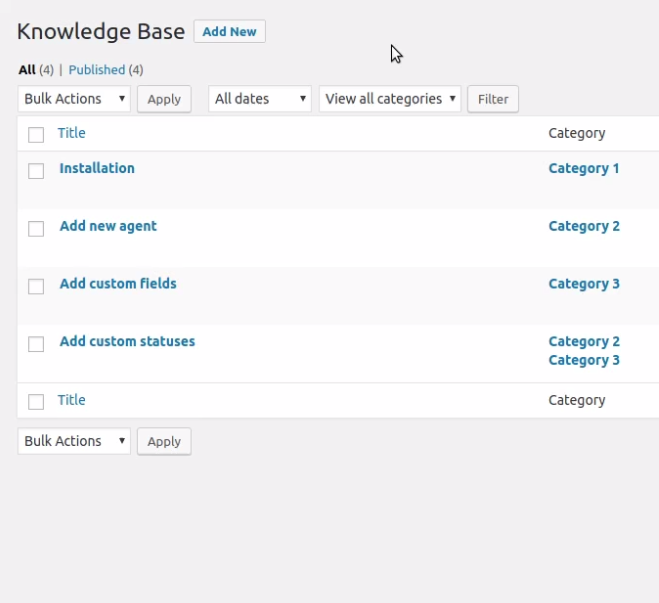
Categorized Search: When searching through the knowledgebase within a ticket, articles are displayed in a pop-up window organized by category for easy navigation.
Compatibility & Integrations
SupportCandy does not have its own built-in knowledgebase; instead, this add-on integrates with the most popular WordPress documentation plugins. Supported integrations include:
| Plugin Name | Developer |
| BetterDocs | WPDeveloper |
| Knowledge Base for Documents and FAQs | Echo Plugins |
| WP Knowledgebase | Maeve Lander |
| Knowledgebase | PressApps |
| BasePress Knowledgebase | 8Bits in a row |
| Helpguru Knowledgebase | HeroThemes |
| BWL Knowledgebase Manager | xenioushk |
Technical Specifications
-
Requirement: Must have the core SupportCandy plugin (v3.0+) installed and activated.
-
PHP Version: $5.6$ or higher ( $7.4+$ recommended for performance).
-
WordPress Version: $5.0$ or higher (supports the latest $6.7+$ versions).
-
Database: MySQL $5.6$ or higher.
-
License: Usually available as part of SupportCandy’s “Professional” or “Agency” bundles, or as a standalone premium add-on.
How to Set It Up
-
Install the Add-on: Upload and activate the
supportcandy-knowledgebase-integration.zipfile. -
Select your KB Plugin: Go to Support > Settings > Knowledgebase. Select the knowledgebase plugin you are currently using on your site from the dropdown menu.
-
Configure Suggestions: Map your ticket fields to your KB tags to ensure the “Top 3” suggestions are accurate.
-
Save Changes: Your agents will now see the “Knowledgebase” icon in the ticket editor.
- Categories: WordPress Plugins
- Tags: SupportCandy