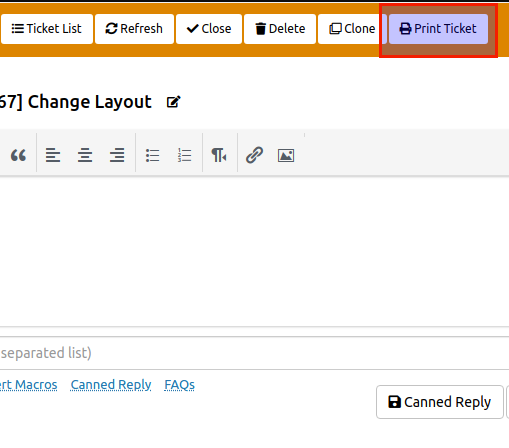

The SupportCandy Print Tickets add-on can add the Print function to your ticket page. You can customize the header, footer and page body according to your needs.
This is EXACTLY the same product as distributed by the developer. Sales Page
THIS ITEM IS ACTIVATED
Core Functionality
-
One-Click PDF Generation: Adds a dedicated “Print” button within the individual ticket view for both agents and customers (if enabled).
-
Professional Layouts: Generates clean, ink-friendly documents that preserve the ticket’s chronology, metadata, and conversation threads.
-
Export to PDF: While it triggers the browser’s print interface, it is optimized to save tickets directly as PDF files for archiving or external sharing.
Key Features & Customization
| Feature | Description |
| Custom Templates | Create unique layouts for the printed document including a custom header and footer. |
| Macro Support | Use SupportCandy placeholders (macros) in the header, body, or footer to dynamically pull ticket data (e.g., Ticket ID, Customer Name, Date). |
| Field Control | Choose exactly which fields to include or exclude, such as custom fields, internal agent notes, or specific attachments. |
| Branding | Add your company logo and specific branding elements to the printout to match your corporate identity. |
| Role-Based Access | Control which user roles (Agents vs. Customers) have permission to see and use the print button. |
| Bulk Printing | Capability to select multiple tickets from the ticket list and generate a combined printout or batch PDFs. |
Technical Specifications
-
Prerequisite: Requires the SupportCandy Core Plugin (Free or Pro version) to be installed and active.
-
WordPress Compatibility: Works with the latest versions of WordPress and major PDF libraries.
-
Responsive Design: Uses printer-friendly CSS to ensure the layout remains consistent regardless of the screen size where the print command is initiated.
-
Multilingual Support: Fully compatible with translation plugins and multisite environments.
- Categories: WordPress Plugins
- Tags: SupportCandy