
The ARForms Post Creator plugin integrates your form entries and WordPress pages/posts in one process. After submitting the form from ARForms, you can automatically create a page/post.
This is EXACTLY the same product as distributed by the developer. Sales Page
The ARForms – Post Creator Addon is a powerful extension for the ARForms WordPress Form Builder. Its primary purpose is to turn form submissions directly into WordPress content—allowing users to submit posts, pages, or custom post types from the front end of your website.
Key Features
This addon effectively transforms ARForms into a Front-End Posting Tool. Instead of just collecting data in a database, it uses that data to generate live content.
-
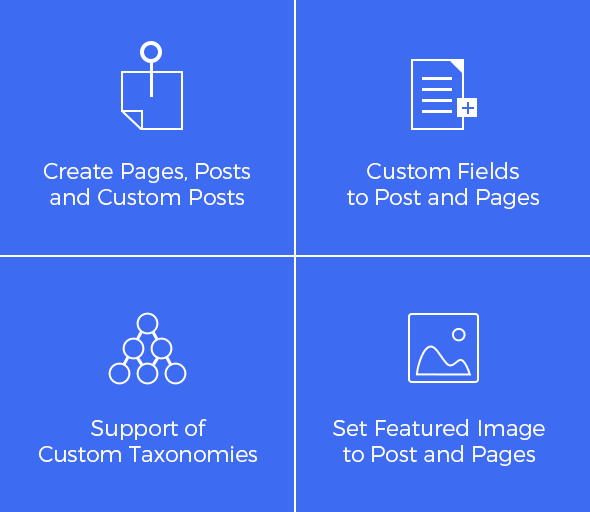
Multi-Content Support: Create standard WordPress Posts, Pages, and Custom Post Types (like portfolios, testimonials, or products).
-
Custom Field Mapping: Link form fields to standard post data (Title, Content, Excerpt) or to Advanced Custom Fields (ACF) and other meta fields.
-
Taxonomy Integration: Support for categories and tags. You can allow users to select from existing categories or assign posts to a default category automatically.
-
Featured Images: Allows users to upload an image via the form and automatically sets it as the “Featured Image” for the created post.
-
Post Status Control: You can decide if a submission should be published immediately, saved as a Draft, or set to Pending Review (ideal for moderated user-submitted content).
How It Works: Configuration
Once installed, a new “Post Creator” menu appears under the ARForms settings. The setup process follows these steps:
-
Select Form: Choose the specific ARForm you want to use for post creation.
-
Map Fields: | Post Element | Form Field Example |
| :— | :— |
| Post Title | “Article Headline” (Text Field) |
| Post Content | “Your Story” (Textarea/HTML Field) |
| Featured Image | “Upload Header Image” (File Upload) |
| Category | “Select Topic” (Dropdown) |
-
Advanced Options: Enable “Custom Fields” to map data to specific database keys (meta keys).
-
Automatic Generation: The moment a user hits “Submit,” the post is generated based on your mapping rules.
Best Use Cases
-
Guest Blogging: Allow guest authors to submit articles without giving them access to your WordPress dashboard.
-
Directory Listings: Create a “Submit Your Business” form where entries become directory pages.
-
User Testimonials: Map form entries to a “Testimonials” custom post type to display them in a slider or grid.
-
Bug Reporting: Create internal posts for team review based on user feedback.
- Categories: WordPress Plugins
- Tags: ARForms