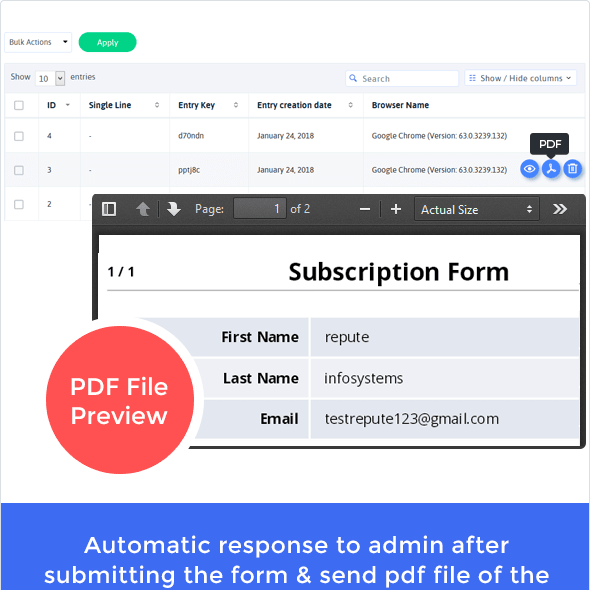

The PDF Creator Addon for ARForms integrates your form entry and PDF creation in one process. After submitting the form from ARForms, you can immediately send the generated PDF as an attachment and email to the administrator.
This is EXACTLY the same product as distributed by the developer. Sales Page
The ARForms – PDF Creator Addon is a powerful extension for the popular ARForms WordPress plugin. It’s designed to bridge the gap between form submissions and professional documentation by automatically generating PDF files from user-submitted data.
Key Features & Functionality
-
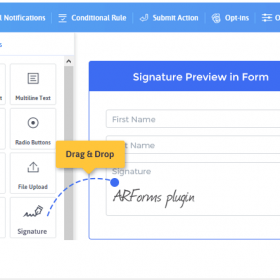
Drag-and-Drop Editor: You don’t need to know CSS or HTML. It features a visual template builder where you can place form fields exactly where you want them on the PDF page.
-
Automated Delivery: It can automatically attach the generated PDF to the email notifications sent to either the admin or the user immediately after a form is submitted.
-
Conditional Logic: This is a standout feature. You can set rules so that a PDF is only created if certain conditions are met (e.g., only if the user selects “Request Invoice”).
-
Multiple Templates: You can create different PDF designs for a single form. For example, one “Internal Record” template for your team and a “Professional Receipt” for the customer.
-
Branding & Customization:
-
Add custom logos, headers, and footers.
-
Change paper sizes (A4, Letter, etc.) and orientation.
-
Support for custom fonts and RTL (Right-to-Left) languages.
-
-
Security: You can password-protect the generated PDFs to ensure sensitive data remains private.
Common Use Cases
The plugin is particularly useful for workflows that require “official” paperwork:
-
Invoicing: Instantly generate a PDF receipt or invoice after a payment form is completed.
-
Contracts & Agreements: Combine with the ARForms Signature Addon to create signed PDF contracts.
-
Application Forms: Create a clean, printable version of job or school applications for offline review.
-
Certificates: Automatically generate “Certificates of Completion” for users who submit a quiz or feedback form.
How to Get Started
-
Install ARForms: Ensure you have the pro version of the core ARForms plugin active.
-
Upload Addon: Install the PDF Creator zip file via
Plugins > Add New. -
Create a Template: Go to the ARForms menu, select “PDF Templates,” and use the drag-and-drop builder to map your form fields to a document layout.
-
Link to Form: In your form’s “Email Notifications” settings, select your new PDF template to be attached to the outgoing mail.
- Categories: WordPress Plugins
- Tags: ARForms