
Gravity Forms Multi-page Navigation enhances multi-page forms by adding advanced navigation options. Users can jump between pages, review previous inputs, and navigate seamlessly, improving the usability of long or complex forms.
This is EXACTLY the same product as distributed by the developer. Sales Page
Gravity Forms Multi-page Navigation Introduction
Gravity Forms Multi-page Navigation improves the experience of using long or multi-step forms. By providing advanced navigation controls, users can move between form pages, review previous inputs, and complete forms more efficiently. This enhances usability, reduces errors, and increases form completion rates.
Key Features
- Enhanced navigation for multi-page forms
- Jump directly to specific pages
- Allow review of previously entered data
- Support for conditional logic on page navigation
- Improved progress indicators for users
- Customizable navigation buttons and labels
- Seamless integration with Gravity Forms styling
- Support for multi-step workflows and calculations
- Reduce abandonment for long forms
- Enhanced overall form usability and experience
Getting Started
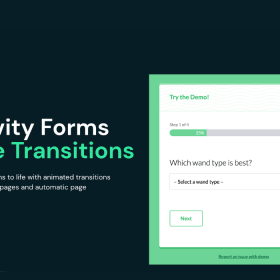
Administrators configure multi-page navigation in the form editor, setting up button styles, page jumps, and progress indicators. Users experience real-time navigation across pages during form completion.
Summary
Gravity Forms Multi-page Navigation improves form usability, enhances user experience, and ensures smoother completion for long or complex forms by providing intuitive multi-step navigation options.
- Categories: WordPress Plugins
- Tags: Gravity Perks