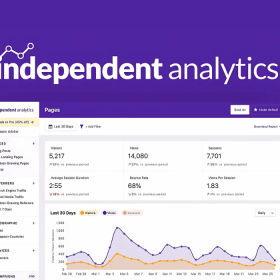

Data Analytics for PWA is a premium add-on that brings powerful web analytics to Progressive Web Apps built with WordPress. It tracks user behavior within the PWA, popping analytics events for page views, sessions, and custom actions. You can measure engagement, retention, and conversion flows directly from your PWA users. Designed for site owners, marketers, and developers, it integrates seamlessly with existing analytics platforms to give you actionable insight into your app audience.
This is EXACTLY the same product as distributed by the developer. Sales Page
Data Analytics for PWA — Introduction
Data Analytics for PWA is a specialized extension for WordPress-based Progressive Web Apps. It enables you to collect rich analytics data about how users engage with your PWA, from session duration and returning visitors to custom user interactions. Instead of treating your PWA like a standard website, this add-on gives you a deeper look at user behavior in the app context, helping you refine your engagement strategy, optimize features, and boost user retention.
Data Analytics for PWA — Features
- Session Tracking: Records individual PWA sessions, including time spent, pages viewed, and entry/exit points.
- Page-View Events: Tracks which PWA pages (or views) your users visit, helping you understand popular routes.
- Custom Event Tracking: Log custom user actions like button clicks, form submissions, or navigation events.
- User Retention Metrics: Monitor how many users return to the PWA and how often, giving insight into stickiness.
- Device & Browser Insights: Detect which devices and browsers your PWA users are using.
- Offline Behavior Reporting: Capture and queue analytics events even while users are offline, then sync when they reconnect.
- Integration with Analytics Platforms: Push collected data into popular analytics tools to visualize and analyze user patterns.
- Conversion Funnels: Set up funnel tracking to see where users drop off or convert within the PWA flow.
- Real-Time Analytics: Monitor live visitor activity within the PWA to respond to usage trends immediately.
- Custom Dimensions: Add your own dimensions (e.g., user role, membership status) to segment analytics.
- Lightweight Script: Designed to be performant and optimized for PWAs without significantly impacting load times.
What Is Data Analytics for PWA Used For?
Data Analytics for PWA is used to gain detailed insight into how users interact with your progressive web app. Typical use cases include:
- Measuring user engagement in your PWA to understand popular pages and actions.
- Tracking conversion paths and identifying drop-off points in app-based workflows.
- Analyzing retention by seeing how frequently users revisit your PWA.
- Capturing offline user behavior and syncing it once connectivity resumes.
- Segmenting analytics data to understand behavior by user type or device.
- Optimizing app performance and UX by analyzing real user data rather than web-only metrics.
Why Choose Data Analytics for PWA?
- Tailored for PWAs: Unlike standard analytics, this plugin is built for app-like behavior, including offline tracking.
- Rich, Actionable Data: Provides insight into real PWA usage—sessions, returns, funnel behavior—so you can make data-driven decisions.
- Custom Event Support: Track any interaction, not just page views, giving you detailed control over analytics.
- Performance-Oriented: Lightweight design ensures the PWA remains responsive and fast.
- Seamless Integration: Works with popular analytics tools, making data aggregation easy.
- Retention Insights: See how well your app retains users and where to improve for better engagement.
- Developer-Friendly: Easy to configure events and dimensions, making analytics setup highly flexible.
- Offline Analytics: Captures usage even when users are offline, ensuring no data loss in app contexts.
- Categories: WordPress Plugins
- Tags: Premium Plugins, PWA for WP