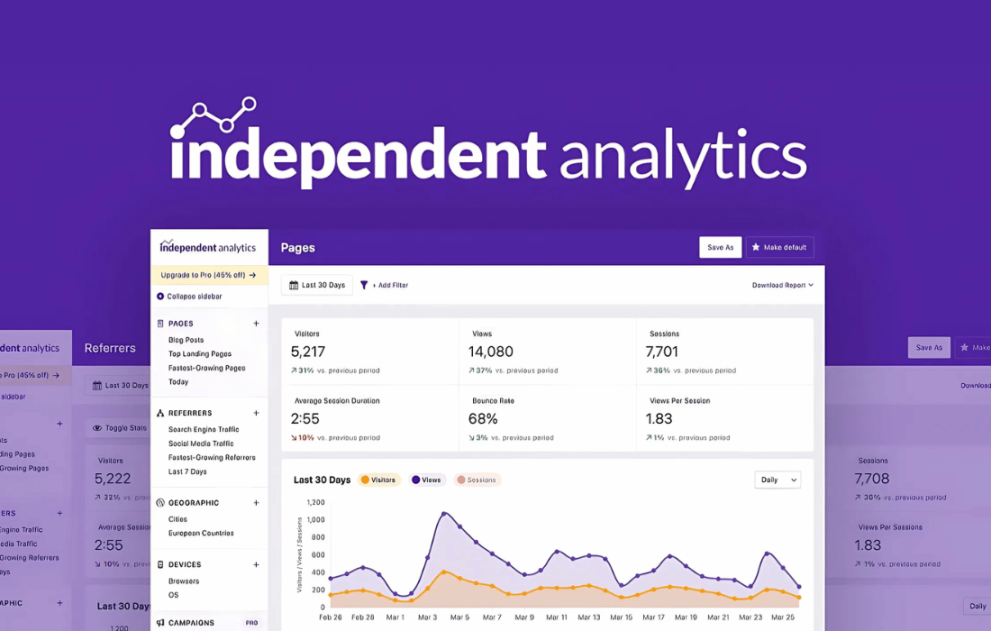

IndependentWP presents a privacy‑focused analytics plugin for WordPress that gives you complete control over your visitor data. It replaces third‑party tracking tools with a dashboard that lives entirely in your own WordPress installation — no cookies, no external servers, no hidden tracking. Ideal for bloggers, small businesses, agencies or any site that values simplicity and compliance, the plugin delivers clear reports on visitor counts, referrers, geography, devices and more — all while keeping your data safe, private and totally under your roof.
This is EXACTLY the same product as distributed by the developer. Sales Page
What is IndependentWP Analytics?
Many website owners feel locked into complex, external analytics platforms that track everything and share little. IndependentWP solves this by offering a WordPress‑native analytics solution that puts you in the driver’s seat. Data resides entirely on your site, you see meaningful metrics without the clutter, and you avoid the privacy headaches commonly associated with large third‑party services.
Key Features
- Dashboard built into WordPress: view site stats without leaving your admin.
- Visitor and view counts, referrer sources, country & city data, and device breakdowns.
- Fully self‑hosted data: no communications with external services, no cookies, no personal data tracked.
- Data quality tailored to WordPress context: includes post‑type, author, category and custom‑type filtering.
- Free version covers core needs; Pro version adds campaign tracking, real‑time analytics, click tracking, e‑commerce integration and form‑tracking features.
Typical Use Cases
- A blogger wants to see which posts are performing best and from which referral sources, with minimal setup.
- A service‑provider site needs visitor geography and device stats without the overhead of a full analytics suite.
- An agency managing multiple sites seeks a lightweight analytics solution that doesn’t rely on large external platforms and keeps data under client‑control.
- A WooCommerce store wants to track sales referrals, landing pages and traffic without sending user data to external servers.
Setup & Workflow
- Install and activate the plugin in your WordPress site.
- Access the analytics dashboard — data collection starts automatically, so you don’t need to set up tracking codes manually.
- Review the default reports: pages views, referrers, geography, devices.
- (If using the Pro version) enable campaign tracking, real‑time views, click tracking or e‑commerce metrics as needed.
- Use filters to segment data by post type, author, category or custom field to gain deeper insight.
- Periodically check the dashboard to draw insights like which content drives visits, where traffic originates and which devices dominate.
Why Use This Analytics Tool
Using a self‑hosted analytics plugin from IndependentWP means you stay in control of your data, improve performance by avoiding heavy external scripts, and offer a privacy‑friendly solution to your visitors. The setup is simple, the insights are meaningful in a WordPress context, and the absence of third‑party tracking services keeps your effort focused on site growth rather than compliance or monitoring external tools.
- Categories: WordPress Plugins
- Tags: Premium Plugins