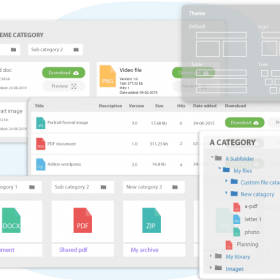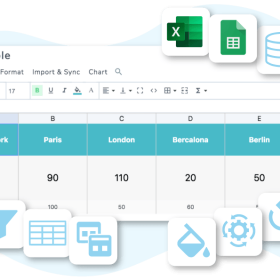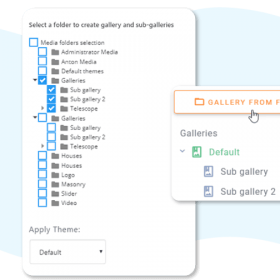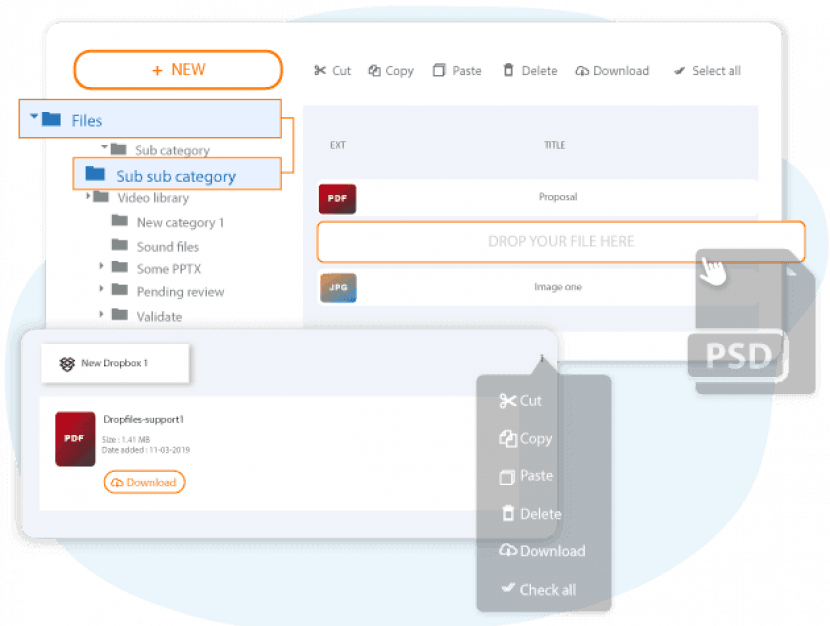

Create file categories, drag and drop files, and then insert file categories or individual files directly into your content. WP File Download provides you with many professional functions for managing files, including one-click file sorting, four response themes, public AJAX navigation, SEO file URL, remote downloading and more.
This is EXACTLY the same product as distributed by the developer. Sales Page
Technical Specifications
-
WordPress Compatibility: Fully compatible with WordPress 6.x (tested up to 6.9+).
-
PHP Requirement: Optimized for PHP 7.4 through PHP 8.2+.
-
Page Builder Support: Native dedicated blocks/widgets for Gutenberg, Elementor, Divi, WPBakery, and Beaver Builder.
-
Multilingual: Fully compatible with WPML and Polylang.
-
File Handling: Uses a custom database table for high performance, even with thousands of files.
Core Features
1. File & Folder Management
-
Drag-and-Drop: Move files and categories (folders) just like on a Windows or Mac desktop.
-
Four Responsive Themes: Choose between Standard, Google Drive-like, Table, or Accordion tree views.
-
Versioning: Upload new versions of a file with one click; the plugin keeps a history and allows for easy restoration of older versions.
-
Remote Downloads: Add a file title and a remote URL (like a Dropbox link) to make it available for download as if it were hosted locally.
2. Access & Security
-
Role-Based Access: Limit who can view, download, or edit files based on WordPress user roles (e.g., only “Subscribers” can see a specific folder).
-
Single User Restriction: Grant access to a specific category to one or more individual users.
-
Email Notifications: Automatic alerts when a file is uploaded, updated, or downloaded.
3. Search & Statistics
-
Advanced Search Engine: Includes a shortcode generator to create custom search forms with filters for category, tag, and date.
-
Full-Text Search: Can index the content of documents (PDF, Word, etc.) to provide search results based on the text inside the file.
-
Download Statistics: Track hits, total downloads, and generate CSV exports of the data.
Cloud & Add-on Integrations
One of the plugin’s strongest suits is its optional Cloud Addon, which provides two-way synchronization:
-
Google Drive: Sync your Drive folders directly to WordPress categories.
-
Dropbox & OneDrive: Full integration (including OneDrive Business and SharePoint).
-
WooCommerce: Sell your files as digital products by attaching WP File Download categories to WooCommerce products.
-
Social Locker: Force users to “Like” or “Tweet” your page before they can download a file.
- Categories: WordPress Plugins
- Tags: JoomUnited