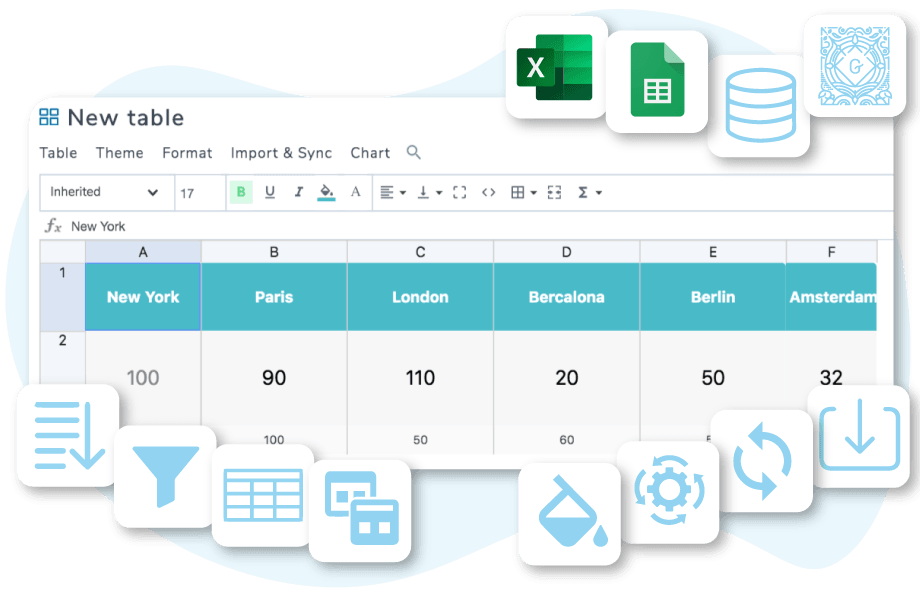

WP Table Manager is the only WordPress table plugin that provides a complete spreadsheet interface to manage tables. Create a table, select a topic and start editing the table immediately.
This is EXACTLY the same product as distributed by the developer. Sales Page
Core Technical Specifications
-
Editor Type: Spreadsheet-style (Excel/Google Sheets interface).
-
Responsiveness: Fully responsive with two specific modes: Scroll (horizontal scroll on mobile) and Column Hide (priority-based column display).
-
Data Capacity: Optimized for large tables to prevent server timeouts and performance lag.
-
Compatibility: Works with Gutenberg, Elementor, DIVI (native modules), and the Classic Editor.
-
License: GPL (General Public License).
Key Features & Capabilities
| Category | Feature Details |
| Data Sync | Real-time synchronization with Google Sheets, Microsoft Excel (local or Office 365), and CSV files. |
| Visualization | Built-in chart tool (6 types: Pie, Bar, Line, etc.) that updates automatically when table data changes. |
| Styling | Includes 6 pre-designed themes, HTML cell editing, custom CSS, and “Alternate Colors” for rows. |
| Formulas | Supports standard Excel math operators: SUM, COUNT, AVG, MIN, MAX, DATE, CONCAT, etc. |
| Interactivity | Advanced sorting, multi-column filtering, pagination, and the ability to “freeze” rows or columns. |
| User Control | Role-based access; you can lock specific cell ranges or allow front-end editing for certain users. |
Advanced Functionalities
-
Database Tables: You can generate tables directly from your WordPress database (MySQL) using a visual query builder.
-
Front-end Editing: Logged-in users with permission can edit table data directly on the live website without entering the admin area.
-
WooCommerce Integration: Specifically designed tools for creating product comparison and pricing tables.
-
Undo/Redo: Includes a full history and backup system for cell modifications.
- Categories: WordPress Plugins
- Tags: JoomUnited