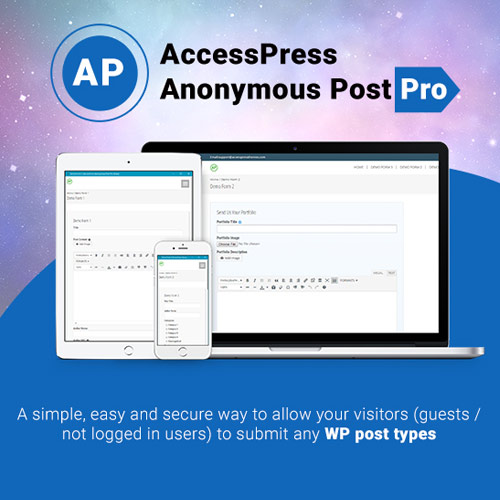

AccessPress Anonymous Post Pro is a powerful WordPress plugin that allows users to submit posts directly from the front end without logging in. Perfect for community-driven platforms, it supports custom fields, image uploads, moderation controls, and spam protection. This plugin streamlines user-generated content collection while giving site owners full control over formatting, review processes, and publishing rules, ensuring efficient and secure public submissions.
This is EXACTLY the same product as distributed by the developer. Sales Page
AccessPress Anonymous Post Pro Introduction
AccessPress Anonymous Post Pro is a comprehensive front-end posting plugin designed for websites that rely on user-submitted content. It lets visitors create posts, upload images, and contribute ideas directly from the front end—no account or dashboard access required. This tool is ideal for community blogs, directories, review sites, online magazines, educational platforms, and any WordPress website looking to simplify public submissions while maintaining security and editorial control.
Traditional content submission methods usually require a user account and backend access, which can discourage contributors. AccessPress Anonymous Post Pro eliminates that barrier by offering a customizable front-end submission form that integrates smoothly with any theme. With moderation controls, email notifications, captcha protection, and custom redirect options, it provides a robust workflow for managing user-generated content efficiently.
Key Features
- Customizable Front-End Submission Forms: Build unique forms with custom fields, categories, taxonomies, file uploads, and more. Each element is easily tailored to match your site’s branding.
- Media Upload & Featured Image Support: Users can upload images, including featured images, directly from the submission form. Great for galleries, portfolio entries, and listing sites.
- Strong Spam Protection & Captcha Validation: Prevent bot submissions with built-in captcha systems, data validation, and security rules.
- Flexible Post Approval Workflow: Choose whether submissions publish automatically, remain pending, or save as drafts until reviewed by admin.
- Email Notifications for Admin & Users: Automatically notify admins of new submissions and optionally send confirmation emails to contributors.
- Custom Redirects & Thank-You Messages: After submission, users can be redirected to a custom URL or shown a personalized success message.
- Supports Custom Post Types: Accept submissions for posts, pages, products, events, portfolios, or any custom post type used on your site.
- Role-Based Access Control: Restrict or allow form usage based on user roles, membership levels, or logged-in status.
- Styling & Theme Compatibility: Works seamlessly with modern WordPress themes and page builders, ensuring the form looks native to your design.
Getting Started
To begin, install and activate AccessPress Anonymous Post Pro from your WordPress dashboard. Next, configure the submission form by selecting the fields you want users to complete, such as title, description, categories, tags, and image uploads. Adjust post status settings to define whether submissions auto-publish or require moderation.
After configuring the form, embed it on any page using the provided shortcode. Test the form to make sure the workflow meets your needs, then publish the page to accept submissions from visitors. You can further enhance the workflow by enabling email notifications, spam protection, and custom redirects.
Summary
AccessPress Anonymous Post Pro offers a complete user-generated content solution for WordPress. Its extensive customization options, security features, and flexible moderation settings make it ideal for websites needing a controlled, efficient, and user-friendly submission process. Whether you’re building a directory, community site, magazine, or crowdsourced platform, this plugin simplifies content intake without compromising security or editorial quality.
- Categories: WordPress Plugins
- Tags: AccessPress