
AccessPress Social Login lets users register and log in to your WordPress website using their favorite social networks, including Facebook, Google, Twitter, LinkedIn, and more. With fast one-click authentication, customizable login buttons, and seamless integration across pages, it improves user experience while increasing sign-up rates. Ideal for membership sites, stores, forums, and communities looking to simplify onboarding.
This is EXACTLY the same product as distributed by the developer. Sales Page
AccessPress Social Login Introduction
AccessPress Social Login is a feature-rich WordPress plugin that allows users to log in or register using their social media accounts. This eliminates the friction of traditional email-based registration, making user onboarding faster, easier, and more secure. Whether you run a membership website, WooCommerce shop, eLearning platform, or community forum, social login significantly increases conversion and engagement by reducing sign-up complexity.
With support for multiple social networks, customizable login buttons, and flexible placement options, the plugin integrates smoothly with any theme or layout. Users can authenticate with a single click, removing the need to remember passwords and increasing the likelihood of returning visitors. AccessPress Social Login is built for website owners committed to delivering a modern, seamless user experience.
Key Features
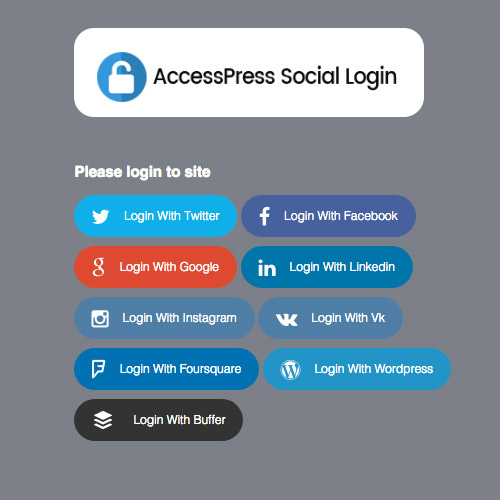
- Multiple Social Network Logins: Supports Facebook, Google, Twitter, LinkedIn, Instagram, VK, and more for quick one-click authentication.
- User-Friendly One-Click Login: Simplifies registration, reducing form abandonment and increasing membership growth.
- Customizable Button Designs: Style login buttons to match your website’s brand, size, and layout.
- WooCommerce Support: Integrate social login into checkout, account pages, and registration forms.
- Redirect Settings: Redirect users to a custom URL after login or logout for streamlined navigation.
- Email Notifications: Notify users of successful login or account creation when necessary.
- Advanced Control Panel: Manage API keys, design settings, and login behavior through an intuitive dashboard.
- Shortcodes & Widgets: Place login buttons anywhere using widgets or shortcode blocks.
- Translation Ready: Works with multilingual sites for global audiences.
Getting Started
Install and activate AccessPress Social Login from your WordPress admin area. Set up API credentials for each social platform you want to enable—such as Google or Facebook—by following the instructions in the plugin settings. Customize the button styles, placement, and redirect pages to fit your design and workflow.
After configuration, add the login icons to your login page, registration page, sidebar, checkout page, or any custom location using the provided shortcodes or widgets. Test authentication to ensure everything runs smoothly. Once activated, users can instantly register and log in with their preferred social networks.
Summary
AccessPress Social Login is a powerful solution for websites wanting to modernize their registration and login process. By offering one-click authentication through major social platforms, it reduces friction, boosts sign-up rates, and enhances user satisfaction. Its flexibility, ease of setup, and strong compatibility make it an excellent addition to any membership, eCommerce, or community site needing a streamlined login experience.
- Categories: WordPress Plugins
- Tags: AccessPress