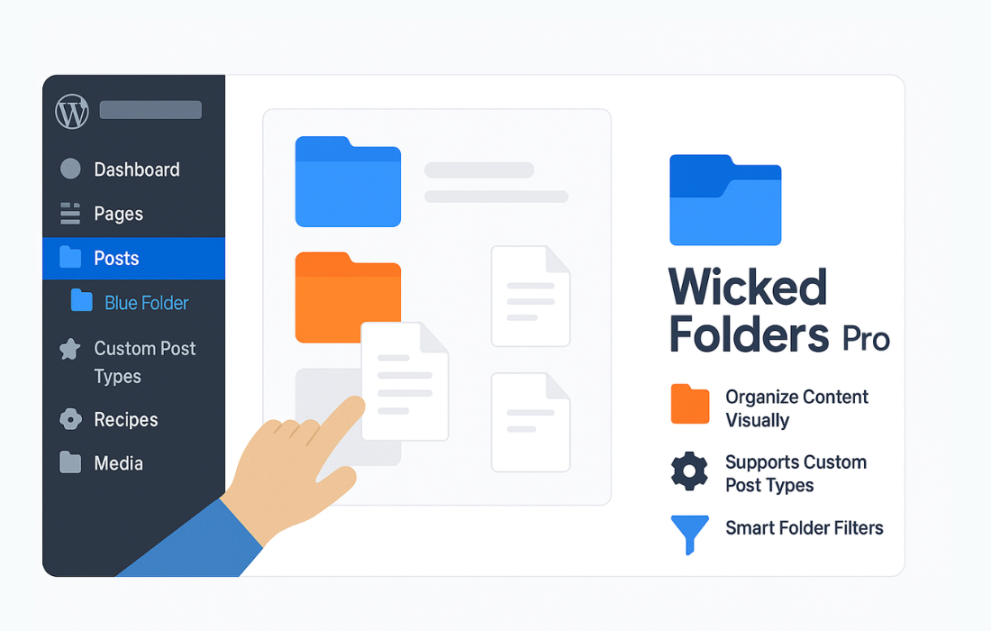

Wicked Folders is a versatile WordPress content‑organization plugin that lets you group pages, posts, custom post types, media files, users, plugins, WooCommerce products/orders, and more into folders. With drag‑and‑drop management, nested folder structures, dynamic folders based on author, date, or file type, and optional permissions control, it makes large sites easier to manage. Whether you’re handling a blog with thousands of posts, a WooCommerce store with numerous products, or a complex membership site, Wicked Folders helps you find, sort, and organize everything efficiently in a single unified folder system.
$9.00
Download 5,000+ Themes & Plugins for Only $15 Join Now

This is EXACTLY the same product as distributed by the developer. Sales Page
Note: This Product is Activated.
What is Wicked Folders?
Wicked Folders adds folder-style organization to WordPress’s flat list interfaces. Instead of endlessly scrolling through pages or posts, you can create folders (and nested folder trees) and drag items into them. The plugin uses WordPress’s taxonomy system, keeping URLs and site structure intact while providing an extra layer of organization.
Key Features
- Folder Creation & Nesting: Create unlimited folders, nest them to any depth, and reorder via drag-and-drop.
- Drag & Drop Items: Move pages, posts, or other items into folders with a simple drag action; supports bulk moves.
- Multi-Item Assignment: Items can belong to multiple folders if needed, allowing for cross-listed content.
- Dynamic Folders: Automatically generated folders based on date, author, file type, or “Unassigned Items.”
- Folder Pane Interface: A resizable, collapsible folder panel appears in admin screens for quick navigation.
- Broad Content Support (Pro version): Organize media library items, users, plugins, WooCommerce products/orders/coupons, Gravity Forms entries, TablePress items, and more.
- Folder Permissions: Control role-based access, specifying who can view, edit, delete, or move content in folders (Pro version).
- Performance-Friendly: Uses built-in taxonomy for minimal disruption and preserves permalinks and hierarchy.
Typical Use Cases
- Large publications group posts by topic, author, or year, with dynamic folders for unassigned posts.
- WooCommerce stores organize product lists, orders, and coupons into folders by category or campaign for faster admin management.
- Agencies manage media library uploads by client or project to reduce clutter and improve asset organization.
- Membership sites restrict folders so only designated roles can view or edit specific content sections.
Setup & Workflow
- Install and activate the plugin in your WordPress site.
- Enable folders for the post types you want to organize.
- Open the folder pane in the admin list view, create folder structures, and start dragging items into folders.
- For bulk moves, select multiple items, choose “Move to Folder,” and pick the destination.
- For Pro users, enable folder permissions and activate folders for media, users, plugins, WooCommerce items, and custom types.
- Use dynamic folders to auto-populate based on criteria such as author, date, or file type.
- Regularly review the “Unassigned Items” folder to ensure new content is assigned and the structure stays organized.
Benefits of Using Wicked Folders
- Simplifies content management by organizing large volumes of items into meaningful structures.
- Reduces admin time and friction by allowing navigation by folder instead of searching long lists.
- Maintains site structure and URLs, preserving SEO and link equity.
- Scales to large sites with many items, users, or custom types.
- Provides permissions and organizational control for teams to manage content securely (Pro version).
- Categories: WordPress Plugins
- Tags: Premium Plugins