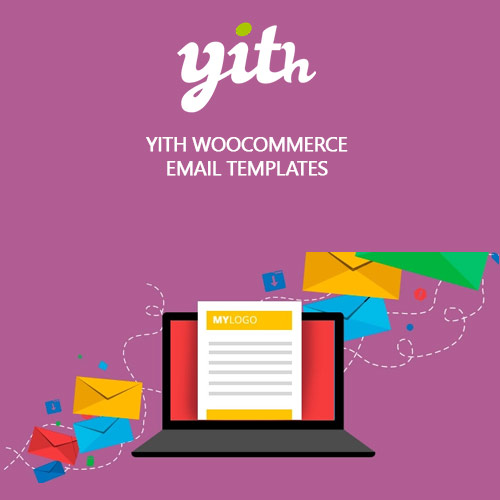

YITH WooCommerce Email Templates Premium allows you to fully customize the appearance of every WooCommerce email. With drag-and-drop layouts, multiple preset designs, and flexible styling tools, you can match emails to your brand identity in minutes. Add logos, banners, buttons, and custom colors to enhance communication and build trust with customers, ensuring your store’s automated emails look professional and consistent across all devices.
This is EXACTLY the same product as distributed by the developer. Sales Page Documentation
YITH WooCommerce Email Templates Premium Introduction
YITH WooCommerce Email Templates Premium gives you complete control over the design and structure of your WooCommerce transactional emails. Instead of relying on the default plain layouts, this plugin allows you to create attractive, branded templates that reflect your store’s identity. Whether you want clean minimal messages or rich promotional layouts, the customization options let you design emails that enhance user engagement and improve the overall shopping experience.
Because transactional emails are one of the most frequent touchpoints between your WooCommerce store and customers, having beautifully styled templates plays a key role in building trust, increasing conversions, and improving retention. This plugin offers a powerful yet intuitive template builder, allowing you to customize headers, footers, fonts, banners, background colors, product tables, and more. Every element can be styled to reinforce your brand’s visual personality.
Key Features
Custom Email Templates: Design unique layouts for all WooCommerce emails, including order confirmations, password resets, invoices, and shipping updates.
Drag-and-Drop Builder: Assemble email sections easily, adjusting structure and layout without touching code.
Multiple Prebuilt Designs: Choose from a variety of professionally crafted templates and personalize them in minutes.
Branding Tools: Add your store logo, colors, banners, social icons, and call-to-action buttons for a consistent brand presence.
Email Preview Mode: View real-time previews of how templates look on different screen sizes before sending them.
Global or Per-Email Settings: Apply one master template to all emails or assign different styles to individual email types.
Responsive and Mobile Friendly: Ensure your emails look perfect on smartphones, tablets, and desktops.
Custom Footer and Header Options: Add legal notices, contact information, store messages, or personalized copy.
Getting Started
After installation, access the Email Templates dashboard in WooCommerce. Begin by creating a new template and selecting a base layout. Add your branding elements such as logo, colors, and typography to establish a consistent style. Next, customize sections like product tables, order details, greetings, and footers. Assign the template globally or specify separate designs for each WooCommerce email type. Use the preview function to ensure formatting appears correctly on all devices, then save and activate your template.
Advanced users can build multiple templates for different customer groups or promotional periods. The plugin integrates seamlessly with WooCommerce and most email customization-related extensions, providing a smooth editing and sending experience.
Summary
YITH WooCommerce Email Templates Premium is an essential tool for store owners who want their emails to look polished, professional, and fully aligned with brand identity. With powerful customization features, flexible layouts, and mobile-friendly designs, it transforms standard WooCommerce emails into engaging communication touchpoints. This plugin ensures your automated messages always look impressive and help maintain a consistent brand presence across every customer interaction.
- Categories: WordPress Plugins
- Tags: YITH