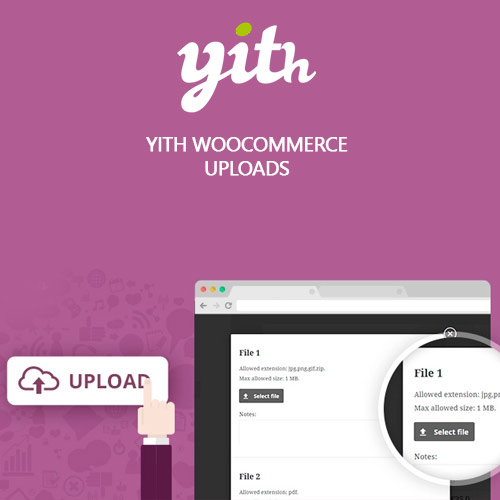

YITH WooCommerce Uploads Premium allows customers to upload files directly on product pages, order pages, or during checkout. Perfect for personalized items, print services, and custom artwork, it supports multiple file types, size limits, and conditional upload rules. Store owners can approve, reject, or request new files, making communication smoother and order accuracy significantly higher. This plugin enhances customization workflows and improves customer satisfaction with a streamlined file-submission system.
This is EXACTLY the same product as distributed by the developer. Sales Page Documentation
YITH WooCommerce Uploads Premium Introduction
YITH WooCommerce Uploads Premium is the perfect solution for stores that sell customizable or made-to-order products. Instead of relying on external communication channels to collect necessary files, the plugin allows customers to upload documents, images, artwork, or specifications directly on the product page or during checkout. This improves order accuracy, speeds up communication, and ensures store owners receive exactly what they need to process custom orders efficiently.
From personalized apparel to printing services and engraved products, this plugin simplifies customization workflows. Customers can upload multiple files, follow specific guidelines, and view approved or rejected uploads from their account. Store owners maintain full control, ensuring professional handling of customer submissions and reducing errors associated with manually collecting files through email.
Key Features
File Upload on Product Pages: Allow customers to submit required files before adding products to the cart.
Uploads During Checkout: Let users provide order-related files directly from the checkout page if needed.
Multiple File Types: Support for images, documents, graphics, ZIP files, and other key formats.
Approval System: Store owners can approve, reject, or request new files with ease.
Conditional Upload Rules: Trigger upload requirements based on product type, options, or variations.
Customer Notifications: Automated messages inform users when files are approved or require changes.
File Restrictions: Set file size limits, number of uploads allowed, and accepted extensions.
Customer Account Integration: Users can view their uploaded files and status updates from their dashboard.
Getting Started
Begin by activating the plugin and navigating to the upload settings in WooCommerce. Set allowed file types, size limits, and maximum quantity. Next, open any customizable product and enable the upload module, choosing whether uploads occur before purchase or during checkout. Customize messages, approval settings, and notification emails for both customers and administrators. After configuring, test the upload process to verify that restrictions and approval flows function correctly.
For stores with multiple customizable products, global rules can automate where uploads appear. Administrators can manage submissions from the order dashboard, approve files instantly, or request additional uploads when necessary. This ensures a smooth and transparent workflow between customers and fulfillment teams.
Summary
YITH WooCommerce Uploads Premium streamlines file submission and approval for customizable products. It reduces communication errors, improves order quality, and provides both store owners and customers with an integrated workflow for sharing files. With flexible upload rules, approvals, notifications, and full WooCommerce compatibility, it’s a must-have plugin for any store offering personalization, printing, or custom design services.
- Categories: WordPress Plugins
- Tags: YITH