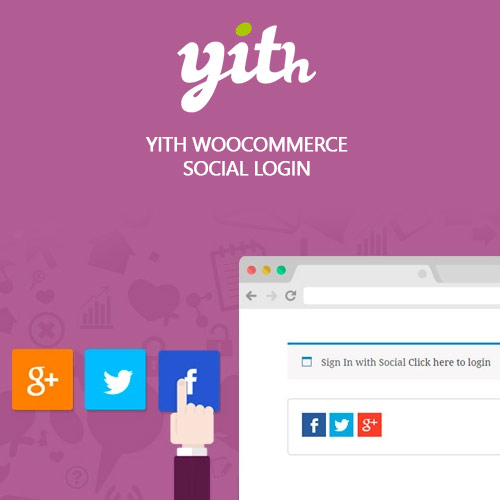

YITH WooCommerce Social Login Premium enables customers to log into your store with their preferred social accounts. Supporting major platforms like Google, Facebook, Twitter, LinkedIn, and Apple, it speeds up registration, reduces cart abandonment, and improves user experience. With customizable login buttons, redirection rules, and detailed analytics, the plugin helps increase conversions by simplifying account creation and login processes on both desktop and mobile devices.
This is EXACTLY the same product as distributed by the developer. Sales Page Documentation
YITH WooCommerce Social Login Premium Introduction
YITH WooCommerce Social Login Premium simplifies the registration and login process by allowing users to authenticate through their favorite social platforms. Traditional account creation can slow down checkout and increase abandonment. Social login eliminates friction and encourages customers to complete purchases faster, improving conversion rates and overall user satisfaction.
The plugin integrates popular providers such as Google, Facebook, Twitter, LinkedIn, Apple, and others. With customizable buttons and redirect options, you can create a streamlined login experience that meets your store’s needs while maintaining consistent branding.
Key Features
Social Login Support: Allow customers to register or log in using Google, Facebook, Apple, and more.
Faster Checkout: Reduce steps during checkout by eliminating password-based login.
Customizable Buttons: Adjust style, size, and placement to match your theme.
Redirection Rules: Choose where users are sent after logging in, such as dashboard or checkout.
Account Linking: Existing users can link social accounts to their WooCommerce profile for easier future access.
Analytics Tracking: Monitor which platforms customers use most for login.
Mobile Friendly: Buttons work seamlessly across devices and layouts.
Secure Authentication: Uses platform APIs to ensure safe login handling.
Getting Started
Activate the plugin and configure the social providers you want to enable. Each platform requires creating an API key or application ID, which can be entered directly into the plugin’s settings. Once connected, customize the login button style and choose where the buttons appear, such as login pages, registration forms, checkout, or custom widgets. Set redirection behavior and test the login process to ensure smooth performance.
Customers will see social login options wherever authentication appears. Once they log in, their WooCommerce account is created automatically, reducing steps and improving the user journey. Administrators can view linked social accounts directly in the user profile section.
Summary
YITH WooCommerce Social Login Premium removes friction from the registration process and speeds up checkout. By enabling customers to log in with their preferred social accounts, stores experience fewer abandoned carts and more successful purchases. With flexible button customization, analytics, and strong security, it is an essential tool for improving conversion rates and user experience.
- Categories: WordPress Plugins
- Tags: YITH