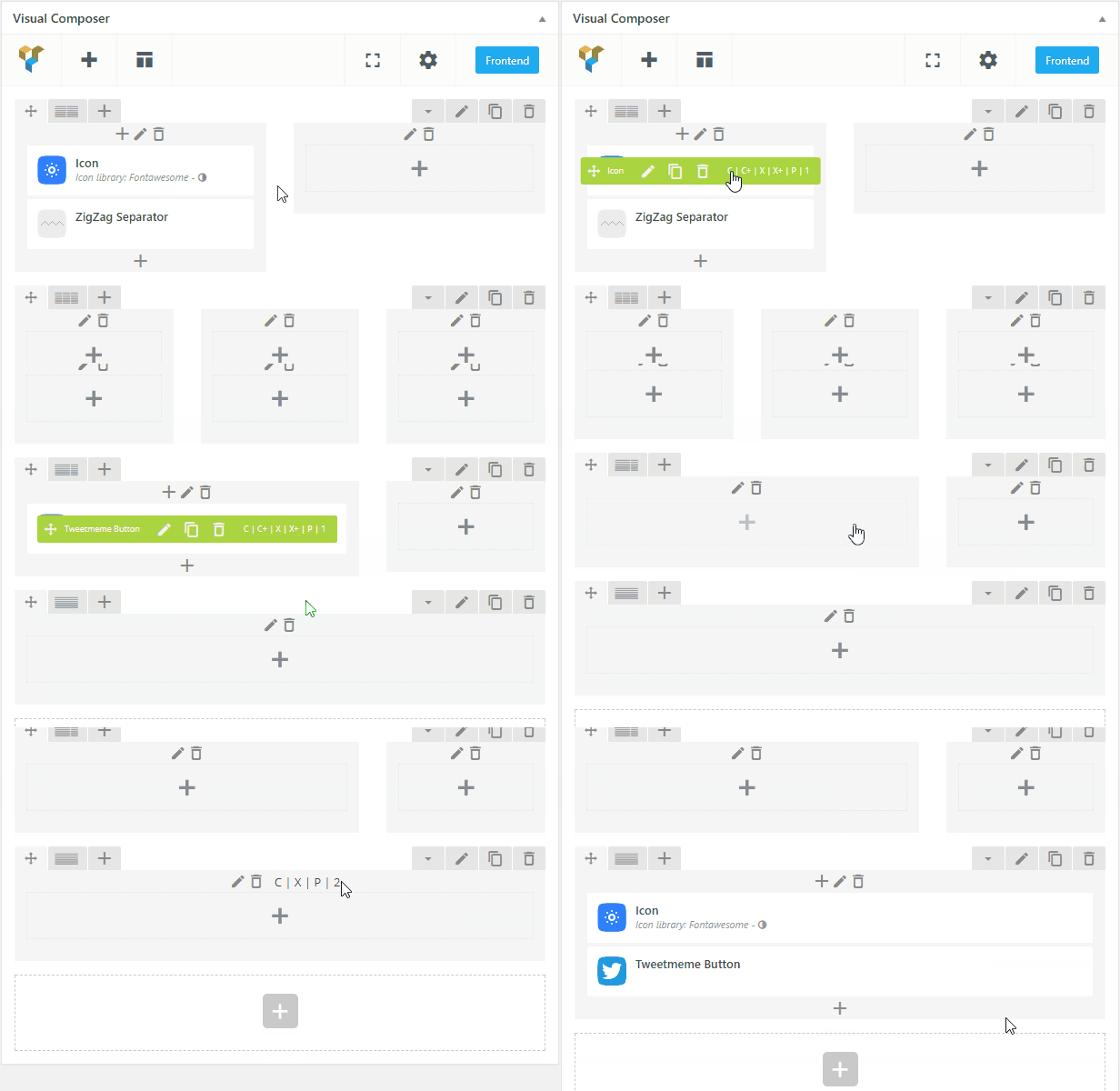

The WPBakery Page Builder Clipboard is a productivity-focused premium add-on designed to bridge the gap between different pages and sites when building layouts. It allows users to copy-paste rows, sections, and individual elements while maintaining all settings and styles.
This is EXACTLY the same product as distributed by the developer. Sales Page
Key Features
-
Cross-Page Functionality: Copy elements from one page and paste them onto a completely different page within the same WordPress installation.
-
Cross-Domain/Site Support: High-end versions of the plugin allow you to copy content from one website and paste it onto a different domain entirely (ideal for developers moving layouts from staging to live).
-
Mass Action: Capability to copy entire rows and sections, including all nested columns and content elements, in a single click.
-
Clipboard History: Many versions include a stack or history manager, allowing you to store multiple copied items and choose which one to paste later.
-
Preservation of Data: It retains all shortcode settings, design options (padding, margins, backgrounds), and custom CSS classes assigned to the elements.
-
Seamless UI Integration: The “Copy” and “Paste” commands appear directly on the WPBakery element toolbars (the green/blue bars above rows and columns).
Technical Specifications
| Feature | Details |
| Compatibility | Requires WPBakery Page Builder (v5.0 or higher recommended). |
| Editor Support | Works with both Backend Editor and Frontend Editor. |
| WP Requirements | Typically requires WordPress 5.0+ and PHP 7.4+ for optimal performance. |
| License Type | Usually sold as a premium add-on (GPL licensed). |
| Multisite | Fully compatible with WordPress Multisite environments. |
| Output | Lightweight; it does not add extra bloat to the front-end of your site as it is an admin-only tool. |
How It Works
-
Copy: Hover over the row or element you want to duplicate and click the Copy button added by the plugin.
-
Navigation: Move to the destination page (even on a different tab/browser window for cross-site).
-
Paste: Click the Paste icon on an existing row to place the content below it, or use the global clipboard menu to “Paste as New.”
- Categories: WordPress Plugins
- Tags: CodeCanyon