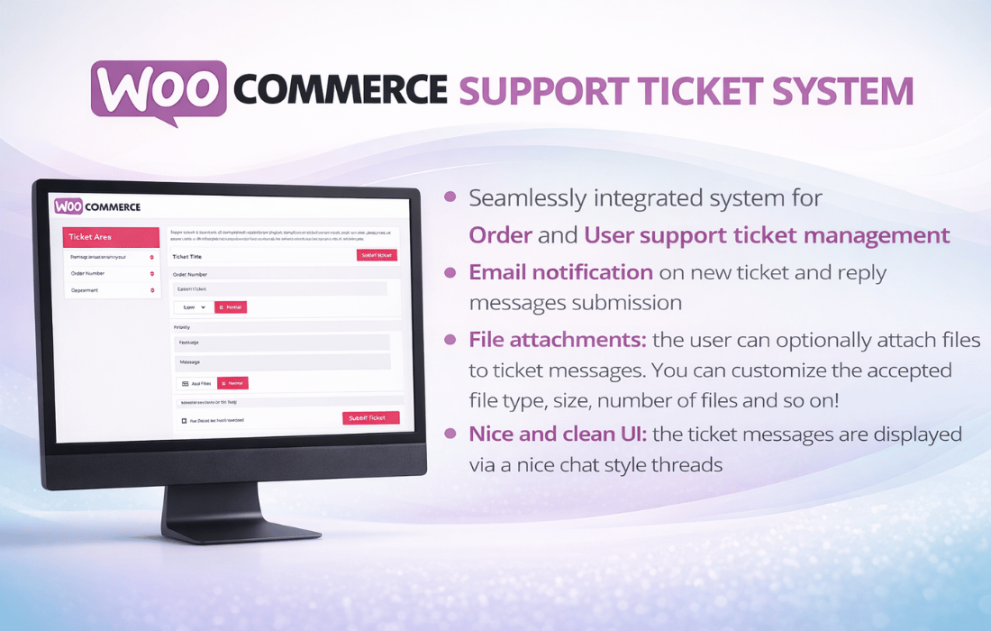

The WooCommerce Support Ticket System is a popular WordPress plugin designed to streamline customer service by integrating a helpdesk directly into your store. It allows users to submit and track issues related to their orders or general inquiries.
This is EXACTLY the same product as distributed by the developer. Sales Page
The plugin generally categorizes support into three main types:
Order Tickets: Directly linked to a specific WooCommerce order.
User Tickets: General inquiries or account-related issues.
Pay-Per-Ticket (Pro): Allows shop owners to charge for support or bind a specific number of questions/tickets to a product purchase.
| Feature | Description |
| Frontend Integration | Adds a “Support Tickets” tab to the WooCommerce My Account page. |
| File Attachments | Supports file uploads (images/documents) with configurable limits on size and file type. |
| Email Notifications | Automated alerts for customers and admins upon ticket creation or replies. |
| Ticket Management | Backend dashboard to filter, assign, and update ticket statuses (Open, In Progress, Closed). |
| Custom Fields | Ability to add custom input fields (text, select, radio) to the ticket submission form. |
| Priority Levels | Define and color-code priorities (e.g., Low, Medium, High, Urgent). |
| Agent Assignment | Assign specific tickets to different staff members or departments. |
As of 2026, the plugin is optimized for modern WordPress environments:
WordPress Version: 4.6 or higher (Tested up to 6.8).
WooCommerce Version: 3.0 or higher (Tested up to 9.8 / 10.0).
PHP Version: 7.4 or higher (Recommended 8.1+ for performance).
Browser Compatibility: Firefox, Chrome, Safari, and Edge.
Localization: Fully compatible with WPML and Polylang for multilingual stores.
Shortcode Support: Use [stsw_user_tickets] or [wcsts_pay_per_ticket_area] to display the support interface on any custom page.
Auto-Closing: Option to automatically close tickets after a specific period of inactivity.
Spam Protection: Often includes Honeypot or ReCaptcha integration to prevent bot submissions.
Smart Loading: The plugin typically loads its JS/CSS files only on support-related pages to maintain site speed.
Guest Access: While some versions allow guest tickets, it usually requires the “Guest” to provide an email or creates a temporary account to track history.
Real-time Chat: This is a ticketing system, not a live chat. For instant messaging, you would need an additional plugin like Tawk.to or LiveChat.