
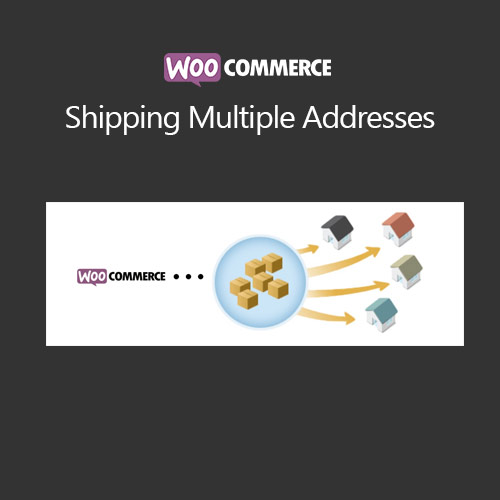

WooCommerce Shipping Multiple Addresses allows customers to ship different products in a single order to multiple destinations. Perfect for gifts, bulk orders, or corporate purchases, this plugin streamlines checkout by letting users assign individual shipping addresses to each item. It improves customer experience, reduces order confusion, and simplifies fulfillment for store owners, enhancing efficiency and flexibility in handling complex orders.
This is EXACTLY the same product as distributed by the developer. Sales Page
WooCommerce Shipping Multiple Addresses – Introduction
WooCommerce Shipping Multiple Addresses enables customers to send items from a single order to multiple addresses. This is ideal for gifts, bulk orders, and corporate purchases. The plugin integrates seamlessly into the WooCommerce checkout page, providing a clear interface to assign a unique shipping address to each product or line item. It improves user experience and minimizes shipping errors.
Store owners benefit from simplified fulfillment, reduced customer inquiries, and efficient order management. Compatible with variable products and multiple shipping methods, the plugin ensures accurate shipping and proper order processing. This solution is essential for stores offering multi-destination shipping flexibility.
Key Features
- Multiple Address Checkout: Customers can ship products to different addresses within the same order.
- Line-Item Assignment: Assign addresses to individual products or line items.
- Address Validation: Ensures correct shipping information and reduces delivery errors.
- Variable Product Support: Compatible with products having variations.
- WooCommerce Integration: Works with standard checkout and shipping methods.
- Enhanced Customer Experience: Simplifies multi-destination shipping for gifts or bulk orders.
- Order Management: Displays all shipping addresses clearly for fulfillment staff.
- Reduced Customer Support: Fewer shipping-related inquiries due to accurate address management.
Getting Started
- Install and activate WooCommerce Shipping Multiple Addresses.
- Go to WooCommerce → Settings → Shipping Multiple Addresses.
- Enable multiple address shipping and configure display options.
- Test checkout for assigning different addresses to products.
- Monitor orders and verify addresses for correct fulfillment.
- Adjust settings based on customer feedback or order volume.
Summary
WooCommerce Shipping Multiple Addresses enhances the checkout process by allowing single orders to ship to multiple destinations. With per-product address assignment, address validation, and full WooCommerce integration, it streamlines fulfillment, improves customer satisfaction, and reduces errors. Essential for stores handling gifts, bulk orders, or multi-recipient shipping.
- Categories: WooCommerce
- Tags: WooCommerce
