
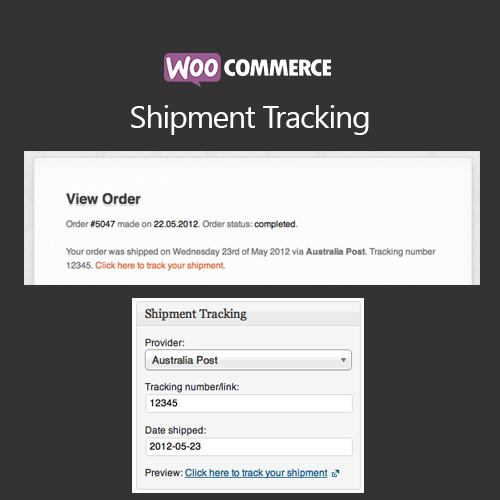

WooCommerce Shipment Tracking lets store owners add tracking information for orders and notify customers automatically. Customers can track shipments directly from their accounts or email notifications, improving transparency, reducing support inquiries, and enhancing trust in your store.
This is EXACTLY the same product as distributed by the developer. Sales Page
WooCommerce Shipment Tracking – Introduction
WooCommerce Shipment Tracking is an essential extension for stores that ship physical products. It allows store owners to provide shipment tracking information for each order, keeping customers informed about their delivery status and reducing support inquiries.
Key Features
- Add tracking numbers and carrier information to WooCommerce orders
- Automatic email notifications to customers with tracking details
- Track shipments directly from the customer account page
- Supports multiple carriers including FedEx, UPS, DHL, USPS, and custom carriers
- Bulk tracking updates via CSV import for large orders
- Customizable tracking email templates with branding
- Integration with WooCommerce order statuses and notifications
- Mobile-friendly interface for store admins and customers
- Reduces customer support inquiries regarding shipping
- Enhances transparency, trust, and customer satisfaction
Getting Started
- Install and activate WooCommerce Shipment Tracking plugin.
- Navigate to WooCommerce orders and add tracking number and carrier for each shipped order.
- Enable automatic tracking email notifications to customers.
- Test the tracking link in emails and customer account pages.
- Optionally, import tracking numbers in bulk for multiple orders via CSV.
- Monitor customer feedback and update tracking information as needed.
Summary
WooCommerce Shipment Tracking improves customer experience by providing real-time shipping updates. With automated notifications, multiple carrier support, and easy tracking, store owners can increase trust, reduce support queries, and ensure customers feel informed throughout the delivery process.
- Categories: WooCommerce
- Tags: WooCommerce
