
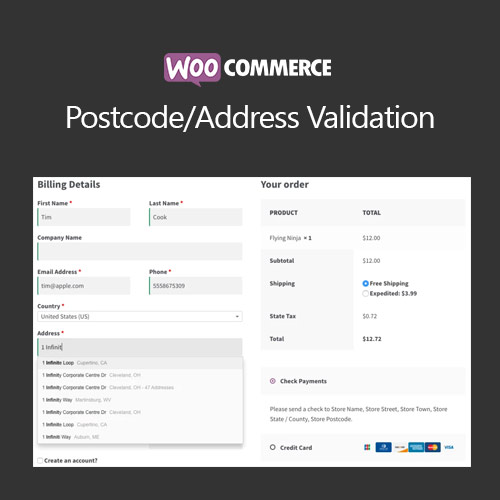

WooCommerce Postcode/Address Validation ensures accurate shipping addresses by validating postcodes and addresses during checkout. Reduce delivery errors, streamline fulfillment, and improve customer satisfaction with automated address verification.
This is EXACTLY the same product as distributed by the developer. Sales Page
WooCommerce Postcode/Address Validation – Introduction
WooCommerce Postcode/Address Validation helps store owners verify customer addresses during checkout. This prevents shipping errors, reduces failed deliveries, and improves overall order fulfillment accuracy.
Key Features
- Postcode validation: Ensures customers enter valid postal codes for accurate shipping.
- Address verification: Automatically checks street addresses against reliable databases.
- Custom error messages: Guide customers to correct errors in real-time.
- Integration with WooCommerce: Works seamlessly with standard checkout and shipping workflows.
- Supports multiple countries: Validate addresses globally depending on store locations.
- Reduces shipping errors: Minimizes failed deliveries and returned packages.
- Improves customer satisfaction: Ensures faster and smoother delivery experiences.
- Admin notifications: Alerts store owners to invalid or incomplete addresses.
Getting Started
- Install and activate WooCommerce Postcode/Address Validation plugin.
- Select countries and configure validation rules in settings.
- Test checkout with sample addresses to ensure proper validation.
- Customize error messages to guide customers effectively.
- Monitor address validation logs for optimization.
Summary
WooCommerce Postcode/Address Validation reduces shipping errors, streamlines fulfillment, and improves customer experience by ensuring accurate addresses at checkout. It saves costs and enhances overall operational efficiency.
- Categories: WooCommerce
- Tags: WooCommerce
