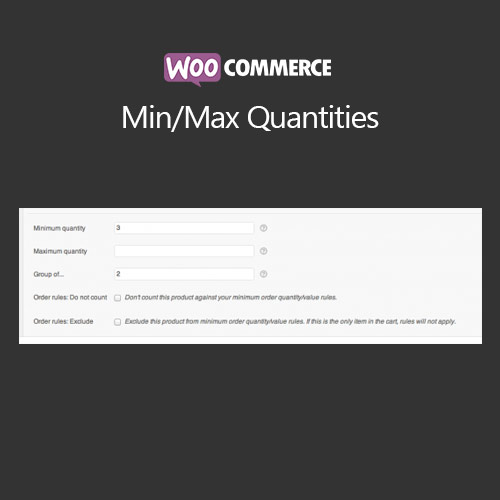

WooCommerce Min/Max Quantities allows store owners to enforce minimum and maximum order quantities for products, categories, or variations. It ensures customers purchase the desired quantity range, prevents underselling or overselling, and provides a better shopping experience by clearly communicating quantity restrictions at the product and cart levels.
This is EXACTLY the same product as distributed by the developer. Sales Page
WooCommerce Min/Max Quantities – Introduction
WooCommerce Min/Max Quantities is a versatile extension that enables store owners to set minimum and maximum quantity rules for products, categories, or variations. This helps maintain inventory control, encourages bulk purchases when desired, and prevents customers from ordering less or more than allowed.
Key Features
- Set minimum and maximum quantities per product, category, or variation
- Control minimum and maximum total quantities in the cart
- Set quantity rules for specific user roles
- Provide clear messages to customers when quantity restrictions apply
- Support for bulk orders and variable products
- Optional conditional logic based on shipping location or product attributes
- Integration with WooCommerce cart, checkout, and reporting
- Mobile-friendly interface and responsive notifications
- Encourages upselling or limits purchase for promotional or stock reasons
- Compatible with other WooCommerce extensions and themes
Getting Started
- Install and activate WooCommerce Min/Max Quantities plugin.
- Navigate to WooCommerce settings and configure global min/max rules.
- Set product- or category-specific quantity restrictions as needed.
- Test frontend behavior by adding products to the cart with different quantities.
- Adjust messaging and conditions to ensure customer clarity.
- Save settings and monitor checkout for compliance with rules.
Summary
WooCommerce Min/Max Quantities ensures accurate order quantities, enhances inventory management, and provides customers with clear guidelines. By enforcing these rules, store owners can prevent underselling, overselling, and improve the overall shopping experience.
- Categories: WooCommerce
- Tags: WooCommerce