
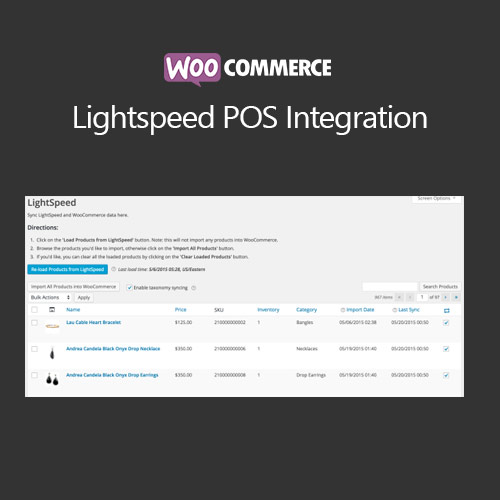

WooCommerce Lightspeed POS Integration connects WooCommerce with the Lightspeed point-of-sale system, allowing seamless synchronization of products, inventory, and sales data. The plugin ensures accurate stock levels across online and physical stores, automates order management, and improves reporting. Ideal for retailers with both online and in-store operations, it streamlines workflows, reduces errors, and enhances operational efficiency.
This is EXACTLY the same product as distributed by the developer. Sales Page
WooCommerce Lightspeed POS Integration – Introduction
WooCommerce Lightspeed POS Integration links WooCommerce with the Lightspeed POS system, enabling automatic synchronization of products, inventory, customers, and sales. The plugin ensures stock accuracy across multiple channels, reducing the risk of overselling or stockouts. Sales data from online orders is automatically reflected in the POS system, streamlining operations for retail businesses.
This integration also allows centralized reporting, inventory management, and customer data tracking, enhancing operational efficiency and providing insights to optimize sales.
Key Features
- Product Sync: Automatically sync products between WooCommerce and Lightspeed POS.
- Inventory Management: Keep stock levels accurate across online and physical stores.
- Order Sync: Sync online orders to Lightspeed POS for accurate sales tracking.
- Customer Data Sync: Synchronize customer profiles for unified management.
- Reporting: Centralized sales and inventory reporting for better decision-making.
- Multi-Channel Support: Manage both eCommerce and physical store sales seamlessly.
- Error Reduction: Automated syncing reduces manual mistakes.
- Operational Efficiency: Streamline workflows for inventory, orders, and reporting.
Getting Started
- Install and activate WooCommerce Lightspeed POS Integration.
- Navigate to WooCommerce → Settings → Integration → Lightspeed POS.
- Enter Lightspeed API credentials to connect your account.
- Configure product, order, and customer sync settings.
- Test synchronization with sample products and orders.
- Monitor real-time stock updates and sales reports.
Summary
WooCommerce Lightspeed POS Integration connects online and physical store operations, synchronizing products, inventory, orders, and customer data. It reduces manual errors, improves reporting, and enhances operational efficiency for multi-channel retailers.
- Categories: WooCommerce
- Tags: WooCommerce
