
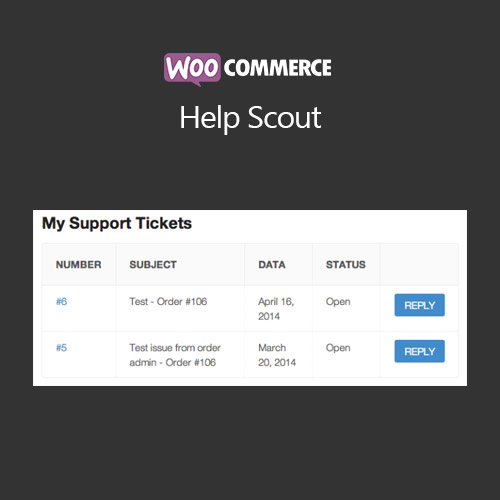

WooCommerce Help Scout plugin integrates Help Scout customer support platform with WooCommerce, allowing store owners to manage support tickets, communicate with customers, and track inquiries directly from the WordPress dashboard. The plugin improves response times, enhances customer satisfaction, and centralizes support management. It also supports automated notifications, ticket tagging, and order-linked conversations, making customer service more efficient and organized.
This is EXACTLY the same product as distributed by the developer. Sales Page
WooCommerce Help Scout – Introduction
WooCommerce Help Scout connects WooCommerce stores with the Help Scout customer support system. It enables store owners and support teams to manage tickets, respond to customer inquiries, and track conversations linked to orders. By integrating support directly into WooCommerce, the plugin improves response times, enhances customer satisfaction, and reduces operational complexity.
The plugin allows automated notifications, tagging of tickets, and linking support queries to specific orders, helping merchants maintain organized and efficient customer support workflows.
Key Features
- Ticket Management: View, manage, and respond to Help Scout tickets from WooCommerce dashboard.
- Order-Linked Conversations: Link support tickets to specific WooCommerce orders for context.
- Automated Notifications: Notify customers and team members when ticket status changes.
- Tagging & Organization: Categorize and prioritize tickets with custom tags.
- Improved Response Times: Streamline support workflows for faster replies.
- Customer Satisfaction: Keep customers informed with timely and relevant communication.
- WooCommerce Integration: Fully compatible with orders, products, and checkout pages.
- Centralized Support: Manage all support inquiries in one interface.
Getting Started
- Install and activate WooCommerce Help Scout plugin.
- Navigate to WooCommerce → Settings → Help Scout.
- Enter your Help Scout API credentials and configure ticket settings.
- Enable automated notifications and order-linked conversation tracking.
- Test ticket creation and response workflows.
- Monitor tickets and maintain organized customer support management.
Summary
WooCommerce Help Scout streamlines customer support by integrating Help Scout directly with WooCommerce. Merchants can manage tickets, link inquiries to orders, and automate notifications, improving efficiency, response times, and customer satisfaction.
- Categories: WooCommerce
- Tags: WooCommerce
