
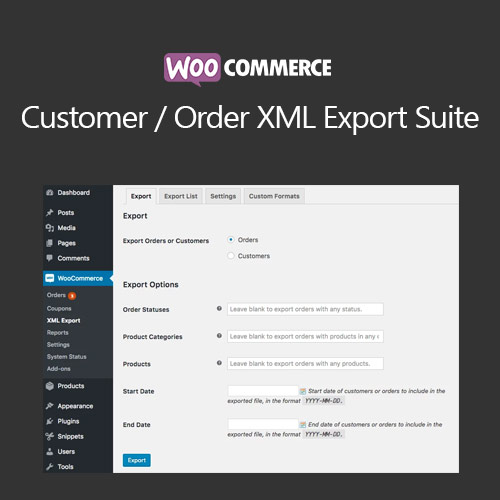

WooCommerce Customer/Order XML Export Suite automates exporting orders, customers, and coupons into customizable XML formats for third-party integrations such as ERPs, CRMs, and fulfillment systems. With scheduled exports, manual exports, FTP/SFTP/HTTP delivery, custom field mapping, extensive filters, and real-time triggers, it provides a powerful, flexible way to sync WooCommerce data externally. Ideal for businesses needing consistent, structured data transfer.
This is EXACTLY the same product as distributed by the developer. Sales Page
WooCommerce Customer/Order XML Export Suite – Introduction
The WooCommerce Customer/Order XML Export Suite provides a complete system for exporting your store’s order, customer, and coupon data in structured XML format. Designed for merchants integrating WooCommerce with ERPs, CRMs, accounting platforms, shipping systems, and inventory management tools, this plugin offers automated scheduling, flexible mapping, filter-based customization, and multiple delivery methods including email, FTP, SFTP, and remote URLs. Whether you export data for analytics or sync it with an external workflow, this extension delivers accuracy, reliability, and full control over your XML formatting.
Key Features
- Customizable XML templates: Build XML formats that match exactly what your external system requires. Modify nodes, naming, structure, and data points to create precise output files.
- Scheduled automated exports: Set hourly, daily, or weekly export schedules. The plugin automatically generates and delivers export files without manual intervention.
- Manual and on-demand exports: Use the admin tools to export orders or customers instantly whenever needed—helpful for data migration and troubleshooting.
- Detailed filter options: Export specific data based on order status, product, date range, customer role, coupon usage, and more. This allows targeted exports for fulfillment or reporting.
- Multiple delivery methods: Send export files via email, FTP, SFTP, HTTP POST, or store them locally on your server. Ideal for integrations with remote systems.
- Supports all order-related data: Export order items, customer metadata, shipping/billing details, coupons, taxes, totals, and custom fields from extensions and plugins.
- Real-time export triggers: Trigger automatic exports when a new order is created or updated, ensuring instant syncing with ERPs or fulfillment centers.
- Compatibility with custom fields: Works with fields created by ACF, checkout editors, and other plugins, allowing advanced data structures.
- Batching for large exports: Large stores benefit from memory-optimized batching that prevents timeouts during heavy data transfers.
- Export logs and debugging: Track export history, file deliveries, and failed transfers with detailed logs.
Getting Started
- Install and activate the XML Export Suite plugin.
- Create or upload your XML template structure.
- Choose which data types to export (orders, customers, coupons).
- Configure scheduling, filters, and delivery methods.
- Run a test export and validate results before automating.
Summary
This extension provides a robust, customizable solution for exporting WooCommerce data in structured XML formats suitable for nearly any external system. With powerful scheduling tools, advanced customizations, and reliable delivery options, it helps businesses maintain synchronized workflows across ERPs, CRMs, shipping systems, and analytics platforms—making it an essential integration tool for growing WooCommerce stores.
- Categories: WooCommerce
- Tags: WooCommerce
