
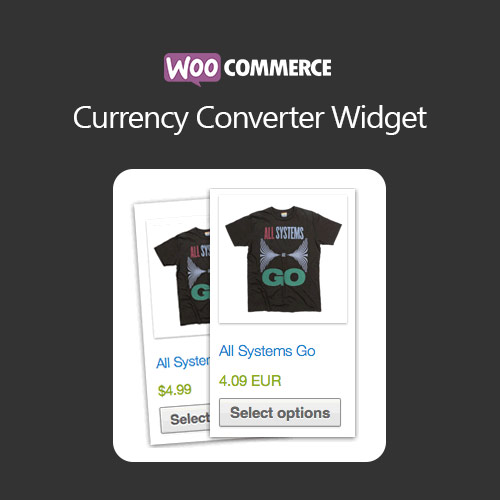

WooCommerce Currency Converter Widget allows shoppers to view product prices in their preferred currency using automatic exchange rates or manual values. The widget supports multiple currencies, customizable display formats, geolocation detection, caching for performance, and compatibility with both catalog and cart prices. Ideal for international stores, it enhances user experience while offering flexible options for multi-currency visibility without altering your core store currency.
This is EXACTLY the same product as distributed by the developer. Sales Page
WooCommerce Currency Converter Widget – Introduction
The WooCommerce Currency Converter Widget provides an easy and user-friendly way for international shoppers to browse your store in the currency they prefer. Rather than changing your store’s core currency, this widget displays converted prices using either automated exchange rate APIs or manually entered values for full control. Customers can switch currencies using a dropdown widget anywhere on your site, improving transparency and encouraging conversions from global audiences. With caching, geolocation support, customizable formatting, and seamless integration with WooCommerce’s catalog and cart prices, the plugin gives international buyers the clarity they need to confidently complete purchases.
Key Features
- Automatic exchange rate updates: Pull real-time currency conversion rates from supported APIs. Rates can refresh hourly, daily, or on-demand to keep conversions accurate.
- Manual rate entry for stability: Set your own exchange rates for fixed campaigns or regions where stable pricing is needed. This prevents unexpected price changes from market fluctuations.
- Multi-currency dropdown widget: Display a currency switcher anywhere using a widget or shortcode. Customers instantly see prices in their chosen currency.
- Geolocation-based currency selection: Automatically preselect a currency based on the customer’s IP location. This creates a localized browsing experience without user effort.
- Cart and checkout compatibility: Converted prices appear during browsing, while checkout still uses your store’s base currency. This avoids inconsistencies with payment gateways.
- Caching for improved speed: Cached conversion rates ensure fast price rendering and reduced API calls for high-traffic stores.
- Customizable currency formats: Adjust symbols, thousand separators, decimals, spacing, and rounding rules to achieve clean and consistent display.
- Works with any product type: Compatible with simple, variable, grouped, external, and subscription products.
- Shortcode support: Insert the currency selector anywhere—product pages, sidebars, menus, landing pages, or footers.
- Lightweight and theme-friendly: Designed to integrate smoothly with any WooCommerce theme without slowing down frontend performance.
Getting Started
- Install and activate the Currency Converter Widget plugin.
- Select your currencies and configure automatic or manual rates.
- Add the widget to your sidebar or use the shortcode as needed.
- Enable caching and adjust display formatting.
- Test the widget on your storefront to ensure accurate conversions.
Summary
The WooCommerce Currency Converter Widget enhances global shopping by letting customers browse in their preferred currency with ease. With automatic updates, geolocation detection, custom formatting, and seamless display across product and cart views, it’s an ideal tool for stores targeting international traffic. It improves user confidence, reduces confusion, and increases global conversion rates without requiring full multi-currency checkout infrastructure.
- Categories: WooCommerce
- Tags: WooCommerce
