
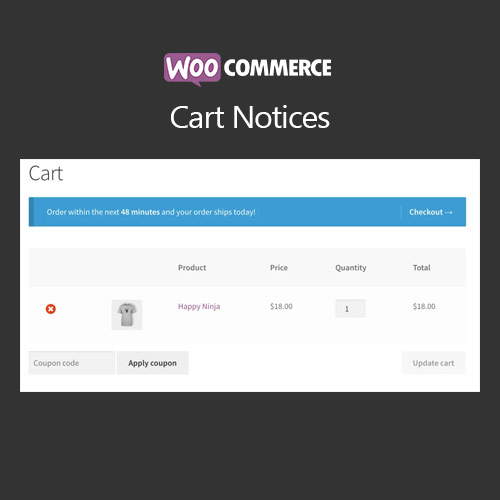

WooCommerce Cart Notices lets store owners create targeted messages for customers while they are shopping. You can display dynamic notices based on cart contents, order totals, or products in the cart. It is ideal for upselling, cross-selling, promotions, and encouraging larger purchases. With flexible conditions, styling options, and custom messages, the plugin improves engagement and increases revenue by guiding customer behavior directly in the cart.
This is EXACTLY the same product as distributed by the developer. Sales Page
WooCommerce Cart Notices – Introduction
WooCommerce Cart Notices enables store owners to display strategic messages and promotions to customers while they are actively shopping. Unlike static banners or popups, cart notices are dynamic, appearing in the cart or checkout based on specific conditions like products added, cart subtotal, shipping methods, or coupon usage. This makes them powerful tools for upselling, cross-selling, or offering incentives to increase average order value.
The plugin allows you to target specific product categories, trigger messages based on order totals, or encourage customers to add more items to reach free shipping thresholds. Cart notices can also be styled to match your site’s branding and can include links to products, categories, or promotional pages. It helps guide purchasing decisions without being intrusive, leading to higher engagement and conversion rates.
Key Features
- Conditional Cart Messages: Display notices based on cart contents, subtotals, shipping methods, or applied coupons.
- Upsell & Cross-Sell Promotions: Suggest additional products or highlight special offers dynamically.
- Customizable Appearance: Style messages with your theme fonts, colors, and backgrounds.
- Message Scheduling: Show promotions during specific date ranges or marketing campaigns.
- Category and Product Targeting: Trigger notices for specific product categories, individual products, or user roles.
- Free Shipping Encouragement: Show dynamic messages to encourage customers to increase their cart total to qualify for free shipping.
- Responsive Design: Notices adapt perfectly to mobile, tablet, and desktop devices.
- Shortcodes & Links: Include clickable links to products or categories within the messages to boost engagement.
Getting Started
- Install and activate WooCommerce Cart Notices.
- Navigate to WooCommerce → Cart Notices in the admin dashboard.
- Create a new cart notice and set your conditions (cart contents, subtotal, or categories).
- Customize the message text and styling.
- Save and test by adding products to your cart to ensure the notice appears as intended.
Summary
WooCommerce Cart Notices provides a flexible and effective way to display targeted messages to shoppers while they are browsing or checking out. By using dynamic conditions, styling options, and strategic placements, this plugin helps increase average order value, promote special offers, and guide customers toward desired actions, all while enhancing user experience on your store.
- Categories: WooCommerce
- Tags: WooCommerce
