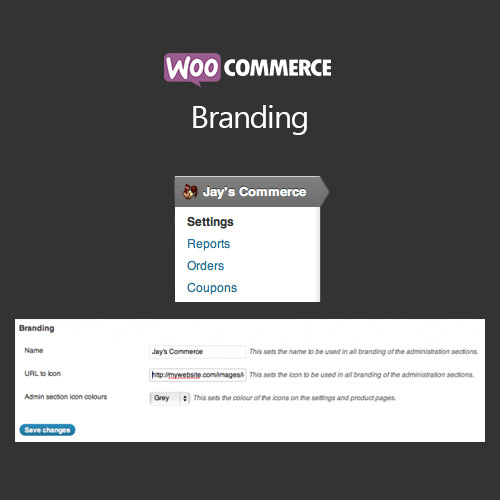

WooCommerce Branding allows store owners to customize the look and feel of their online store, including logos, colors, typography, and checkout branding. It helps businesses maintain a professional and consistent brand identity throughout the customer journey. With flexible styling options, admin panel branding, and the ability to customize emails and invoices, this plugin strengthens brand recognition, trust, and overall customer experience across your WooCommerce store.
This is EXACTLY the same product as distributed by the developer. Sales Page
WooCommerce Branding – Introduction
WooCommerce Branding is a comprehensive plugin designed to help store owners maintain a consistent brand identity across their WooCommerce store. While WooCommerce provides basic customization, it lacks advanced options to tailor every element of the storefront, checkout, emails, and admin panel. This plugin fills that gap by giving complete control over logos, colors, typography, and various brand elements.
From adjusting the storefront’s color scheme to customizing order emails, invoices, and even admin panel appearance, WooCommerce Branding ensures your customers experience a professional, cohesive, and branded environment. This improves credibility, trust, and overall customer satisfaction, ultimately supporting higher conversions and repeat business.
Key Features
- Custom Logos: Upload and display custom logos in the header, checkout, emails, and invoices.
- Color & Typography Control: Customize fonts, headings, and color schemes to match brand guidelines.
- Checkout Branding: Add custom branding elements to the checkout page, including banners, colors, and messages.
- Email Customization: Modify WooCommerce email templates with branded headers, footers, and styling.
- Invoice Branding: Generate invoices and packing slips with brand logos, colors, and footer messages.
- Admin Panel Customization: Apply branding elements to the WordPress admin interface for a cohesive backend experience.
- Responsive Design: Branding adjustments work across desktop, tablet, and mobile devices.
- Simple Interface: Easy-to-use admin settings with live previews of changes before publishing.
Getting Started
- Install and activate WooCommerce Branding.
- Go to WooCommerce → Branding Settings in the admin dashboard.
- Upload your logo, configure colors, typography, and branding elements.
- Customize email templates, invoices, and checkout branding.
- Preview changes on desktop and mobile to ensure consistent display.
- Save settings and test on live store pages for proper appearance.
Summary
WooCommerce Branding is essential for stores aiming for a professional and cohesive brand identity. By allowing full control over logos, colors, typography, checkout pages, emails, invoices, and even the admin panel, it strengthens customer trust and recognition. This plugin helps create a polished shopping experience that supports brand loyalty and boosts conversions for online WooCommerce stores.
- Categories: WooCommerce
- Tags: WooCommerce