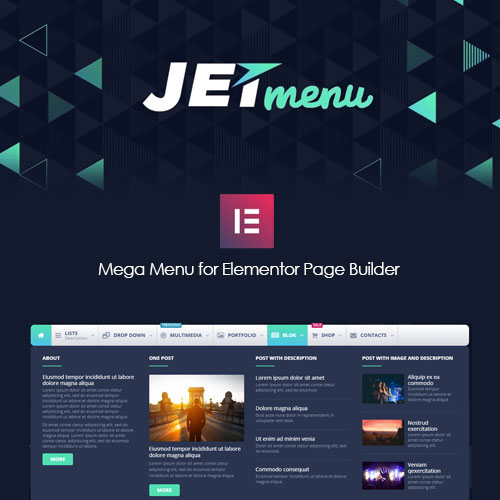
JetMenu allows you to build your custom Mega Menu with Elementor.
Download 5,000+ Themes & Plugins for Only $15 Join Now

This is EXACTLY the same product as distributed by the developer. Sales Page Live Demo
JetMenu is a premium mega menu builder specifically designed for Elementor (and more recently, Gutenberg). Developed by Crocoblock, it is widely considered one of the most flexible tools for creating complex, content-rich navigation without touching a line of code.
Unlike standard WordPress menus that only support text links, JetMenu allows you to treat your menu items like “mini canvases.”
Mega Menu Builder: You can use the Elementor drag-and-drop interface to build your menu content. This means you can add images, videos, maps, contact forms, or even WooCommerce product grids directly into the dropdown.
Three Layout Types:
Horizontal: The classic top-bar navigation.
Vertical: Ideal for sidebars or dashboard-style sites.
Hamburger: A slide-out or full-screen overlay (popular for mobile and minimalist designs).
Mobile-First Options: You can create a completely different menu layout for mobile devices than you use for desktop, ensuring the user experience remains clean on small screens.
Dynamic Content: It integrates with other JetPlugins (like JetEngine), allowing you to pull in dynamic data or specific WooCommerce categories.
Badges and Icons: Easily add “New,” “Sale,” or SVG icons to specific menu items to grab user attention.
Create a Basic Menu: Go to Appearance > Menus in WordPress and build your standard link structure.
Enable JetMenu: Toggle the “Enable JetMenu” switch for that specific menu location.
Design the “Mega” Content: Hover over a menu item, click the “JetMenu” button, and a popup will appear. Click “Edit Mega Content” to open the Elementor editor for that specific dropdown.
Add to Header: Use the “Mega Menu” widget within your Elementor Header template to display it on your site.