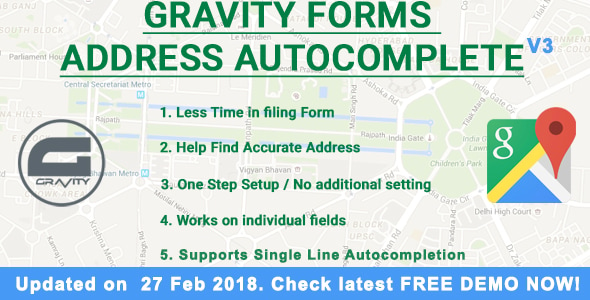

The Gravity Forms Address Autocomplete plugin (primarily developed by Plugin Brewery or available through Gravity Extend) is a specialized add-on designed to integrate Google’s predictive search directly into your WordPress forms.
This is EXACTLY the same product as distributed by the developer. Sales Page
Core Features
-
API Integration: Powered by the Google Places API (New) and Google Maps JavaScript API.
-
Field Support: Compatible with both the standard Gravity Forms Address field and Single Line Text fields.
-
Autofill Capability: Automatically populates sub-fields including Street, City, State, Zip/Postal Code, and Country once an address is selected.
-
Geocoding: Automatically captures Latitude and Longitude data upon address selection (stored as metadata).
-
International Support: Works globally with support for international address formats and multiple locales.
-
Country Restrictions: Ability to restrict address suggestions to specific countries to improve data accuracy and form UX.
-
Mobile Optimized: Fully responsive UI designed for touchscreens and virtual keyboards.
Technical Specifications
| Category | Requirement / Specification |
| WordPress Version | 4.0 or higher (Current stable recommended) |
| PHP Version | 7.4 or higher (supports up to 8.2+) |
| Gravity Forms | Requires an active Gravity Forms license (Basic, Pro, or Elite) |
| API Dependencies | Google Cloud Platform Project with Places API and Maps JS API enabled |
| Browser Compatibility | Chrome, Firefox, Safari, Edge (Modern versions) |
| AJAX Support | Compatible with AJAX-enabled and multi-page forms |
| GDPR Compliance | Options available for address data control and deferred script loading |
Implementation & Mapping
The plugin allows you to map specific Google data points to your form fields:
-
Street Address: Maps to Address Line 1.
-
Locality: Maps to City.
-
Administrative Area Level 1: Maps to State/Province (supports full name or abbreviations).
-
Postal Code: Maps to Zip Code.
-
Country: Maps to the Country dropdown or text field.
Setup Requirements
-
Google Cloud Project: You must have a billing account attached to your Google Cloud Console (though Google typically provides a monthly credit that covers most small-to-medium usage).
-
API Key Restrictions: For security, it is highly recommended to restrict your API key to your specific website domain (HTTP Referrers).
-
Field Activation: The functionality is enabled on a per-field basis within the Gravity Forms editor under the “General” or “Appearance” tab of the specific address field.
- Categories: WordPress Plugins
- Tags: CodeCanyon