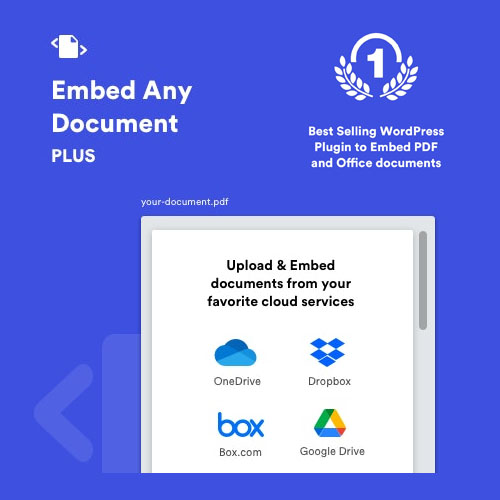

Embed Any Document Plus is a premium WordPress plugin designed to let you display documents (PDFs, Word docs, spreadsheets, etc.) directly on your website without forcing users to download them. It acts as an upgrade to the free version by adding cloud integration and advanced security.
This is EXACTLY the same product as distributed by the developer. Sales Page
Technical Requirements
-
WordPress Version: 4.0 or higher.
-
PHP Version: Compatible with PHP 7.4 through PHP 8.x.
-
Editor Support: Fully compatible with Gutenberg (Block Editor), Classic Editor, and popular page builders like Elementor.
-
Hosting Requirement: Documents must be hosted online (the plugin does not support Localhost or Intranet environments as the viewers need to fetch the file via URL).
Supported File Types
The plugin supports almost all common document formats by utilizing cloud-based viewers:
-
Adobe: PDF
-
Microsoft Word: DOC, DOCX, DOCM, DOTM, DOTX
-
Microsoft Excel: XLS, XLSX, XLSB, XLSM
-
Microsoft PowerPoint: PPT, PPTX, PPSX, PPS, PPTM, POTM
-
Text/Others: TXT, TIFF
Key “Plus” Features (Premium Extras)
The “Plus” version adds significant functionality that the free version lacks:
| Feature | Description |
| Cloud Integration | Direct integration with Google Drive, Dropbox, OneDrive, and Box.com. |
| Advanced Viewers | Access to Google Drive Viewer, OneDrive Viewer, and Box Viewer. |
| Security Controls | Ability to disable the download button, print button, and text selection. |
| Large File Support | Bypasses the standard 8MB–10MB limits of basic Google/Microsoft viewers. |
| Password Protection | Restrict document viewing to specific users or via a password. |
| Analytics | (In some versions) Track how many times a document has been viewed or downloaded. |
Rendering Engines
The plugin lets you choose how the document is displayed. If one service is down, you can switch to another:
-
Google Docs Viewer: Standard for most Office and PDF files.
-
Microsoft Office Online: Best for maintaining high-fidelity formatting in Word/Excel.
-
Browser Native: Uses the user’s browser (best for PDFs).
-
Cloud-Specific Viewers: (Plus Only) Uses the native UI of Drive, Dropbox, or Box.
Known Limitations
-
Animations: Does not support PowerPoint animations or transitions.
-
Media: Does not play video or audio embedded inside documents.
-
Privacy: If using Google/Microsoft viewers, files must be publicly accessible (or shared via the specific Plus cloud connectors).
- Categories: WordPress Plugins
- Tags: CodeCanyon