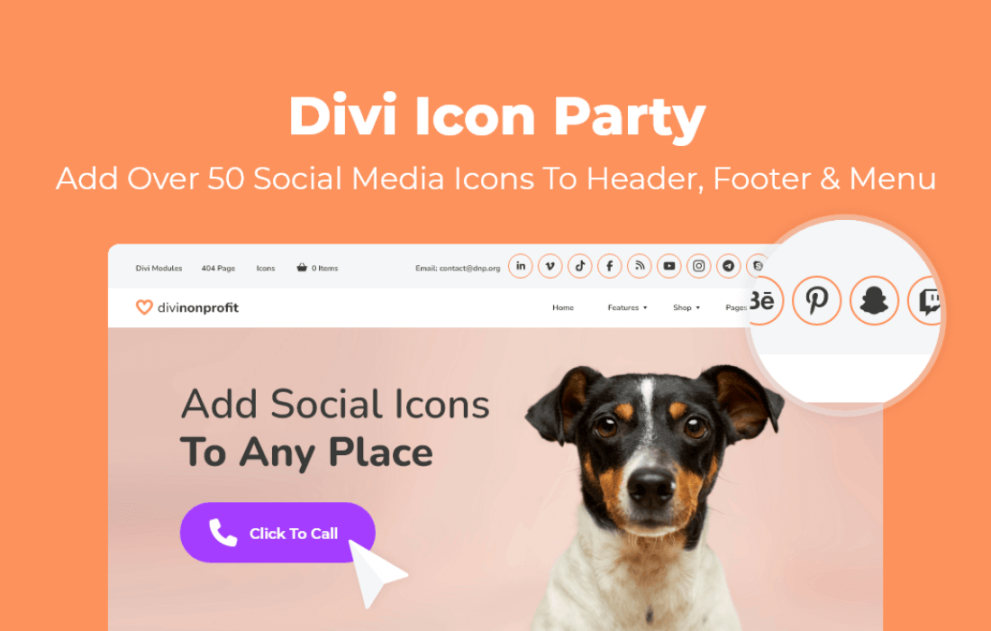

Divi Icon Party by WP Zone is a specialized plugin designed to expand the social media reach of Divi websites. While Divi includes a standard set of social icons, this plugin integrates a much larger library and provides additional placement options that aren’t natively available in the Divi Theme Options.
This is EXACTLY the same product as distributed by the developer. Sales Page
Key Features
-
50+ Additional Social Icons: Adds a massive library of platform-specific icons (e.g., WhatsApp, LinkedIn, Pinterest, Amazon, Etsy, SoundCloud, etc.) that are missing from the default Divi set.
-
Header & Footer Integration: Allows you to place these icons directly into the Main Header, Secondary (Top) Bar, and Bottom Footer without custom coding.
-
Social Media Follow Module Support: All new icons automatically appear in the standard Divi “Social Media Follow” module for use anywhere in the Divi Builder.
-
Functional Icons: Includes specialized “Click to Call” (tel:) and “Click to Email” (mailto:) icons.
-
UI Enhancements:
-
Open links in a new tab toggle.
-
Option to show social icon names on hover.
-
Searchable icon interface within the Divi Builder.
-
Supported Networks (Partial List)
The plugin supports over 50 networks, including:
-
Professional: LinkedIn, Behance, GitHub, Bitbucket.
-
Social/Media: TikTok, Twitch, Discord, Flickr, Vimeo, SoundCloud.
-
Ecommerce/Services: Amazon, eBay, Etsy, Yelp, TripAdvisor.
-
Communication: WhatsApp, Skype, Telegram, Slack.
Installation & Setup
-
Upload: Navigate to Plugins > Add New > Upload and select the
divi-icon-party.zipfile. -
Activate: Once activated, go to Divi > Theme Options.
-
Configure: You will see a new set of toggles and URL fields for the additional social networks. Simply enter your profile URLs and enable the “Show in Header/Footer” toggles as needed.
- Categories: WordPress Plugins
- Tags: WP Zone