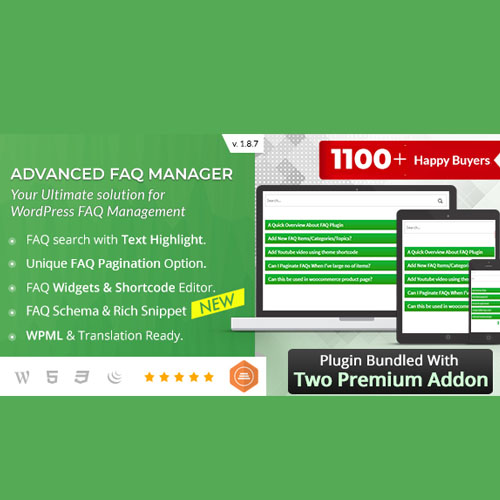

The BWL Advanced FAQ Manager is a premium WordPress plugin designed to provide a highly customizable and SEO-optimized FAQ system. It is widely recognized for its “zero configuration” setup and deep integration with the WordPress ecosystem.
This is EXACTLY the same product as distributed by the developer. Sales Page
Core Features
1. Display & Layouts
-
Accordion & Toggle: Supports animated accordion styles (FadeIn/Slide) and standard toggle layouts.
-
7 Ready-to-Use Themes: Includes seven built-in skins that can be further customized.
-
Responsive Design: Fully mobile-friendly; layouts automatically adjust to smartphones and tablets.
-
Categorization: Organize FAQs using custom categories and tags for better navigation.
2. Search & Navigation
-
Live AJAX Search: A real-time search box with keyword highlighting so users can find answers instantly.
-
Search Suggestions: Displays a panel of suggested questions as the user types.
-
Pagination: Built-in support for FAQ pagination and “Load More” options to handle large databases.
3. SEO & Engagement
-
Schema Markup: Automatically generates JSON-LD Schema (FAQPage) to help your questions appear as “Rich Results” in Google search.
-
Voting System: Integrated Like/Dislike buttons to gauge the helpfulness of specific answers.
-
Social Sharing: Option to add social share buttons to individual FAQ items.
4. Admin & Customization
-
Drag-and-Drop Sorting: Easily reorder FAQs and categories using a visual interface.
-
Front-end Submission: Allows users to submit their own questions via an external form (requires admin moderation).
-
Custom CSS: Dedicated panel for adding custom styles without modifying theme files.
-
Visual Shortcode Editor: A point-and-click interface to generate shortcodes with specific parameters (e.g., specific categories, limits, or themes).
Lite vs. Pro Comparison
| Feature | Lite Version | Pro Version |
| Basic Accordion | ✅ Yes | ✅ Yes |
| Live Search | ✅ Yes | ✅ Yes (Advanced) |
| FAQ Schema | ❌ No | ✅ Yes |
| Pagination | ❌ No | ✅ Yes |
| User Submissions | ❌ No | ✅ Yes |
| Premium Support | ❌ No | ✅ Yes (6 Months) |
Installation & Usage
-
Installation: Upload the plugin via
Plugins > Add Newor via FTP to the/wp-content/plugins/directory. -
Creation: Navigate to the “Advanced FAQ” menu in your sidebar to add categories and questions.
-
Deployment: Use the block editor to search for the BWL FAQ Block or use the shortcode
[bwla_faq]on any page, post, or widget area.
- Categories: WordPress Plugins
- Tags: CodeCanyon