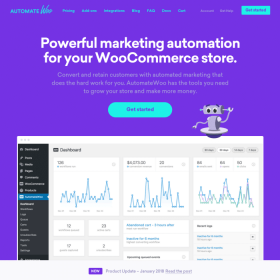

AutomateWoo – Birthdays enables WooCommerce stores to automate birthday marketing campaigns with ease. Capture customer birthdates, send personalized birthday messages, and deliver special discount offers automatically. This add-on boosts engagement and customer loyalty by turning birthdays into meaningful marketing moments.
This is EXACTLY the same product as distributed by the developer. Sales Page
AutomateWoo – Birthdays Introduction
AutomateWoo – Birthdays is a specialized add-on designed to help WooCommerce stores automate birthday-related marketing. By collecting customer birthdates and triggering personalized workflows, stores can send heartfelt birthday messages, exclusive discounts, and loyalty incentives automatically. It’s one of the simplest ways to build stronger customer relationships and increase repeat purchases.
Key Features
- Birthday Capture: Collect customer birthdates through checkout fields or account settings.
- Automated Birthday Emails: Send personalized birthday greetings on the customer’s special day.
- Birthday Coupons: Generate unique discount codes automatically as part of the workflow.
- Advanced Scheduling: Send messages before, on, or after the birthday for maximum impact.
- Customer Segmentation: Target customers with different birthday-based campaigns.
- Works with Other Workflows: Combine with loyalty programs or review requests for deeper engagement.
Getting Started
- Install AutomateWoo and the Birthdays add-on.
- Enable the birthday field in customer account or checkout settings.
- Create a new workflow in AutomateWoo.
- Select the “Customer Birthday” trigger.
- Add actions such as sending an email or generating a coupon.
- Set the timing, personalization, and coupon rules.
- Save and activate the workflow.
Summary
AutomateWoo – Birthdays helps WooCommerce stores deliver meaningful, automated birthday celebrations that build customer loyalty. With personalized messages, coupons, and timed workflows, it offers a simple yet powerful way to strengthen relationships and increase repeat purchases.
- Categories: WooCommerce
- Tags: AutomateWoo