
The Powerful Filters addon for wpDataTables is a specialized extension designed to handle large datasets by adding advanced, logic-based filtering capabilities that aren’t available in the core plugin.
This is EXACTLY the same product as distributed by the developer. Sales Page
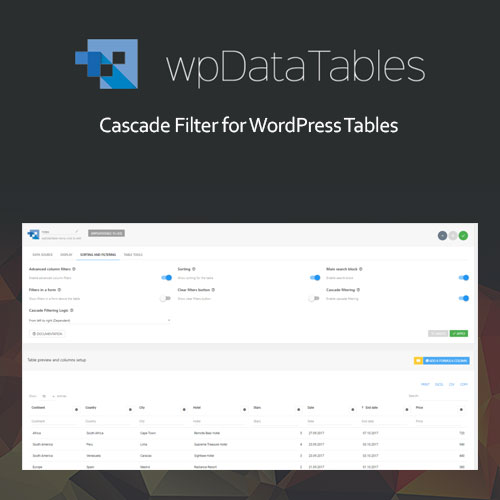
This is the flagship feature of the addon. It allows filters to “talk” to each other so that selecting a value in one filter narrows down the available options in the next.
From Left to Right (Dependent): Filters are enabled sequentially. You must select a value in the first column to “unlock” the second, and so on.
Free (Independent): Similar to Excel or Google Sheets. You can select a value in any filter, and all other filters will instantly update to show only relevant remaining options.
“AND” Logic: Narrow down results further by ensuring filtered data meets multiple specific criteria simultaneously.
Hide Table Before Filtering: You can choose to show only the filter interface to the user. The actual data table remains hidden until the user makes a selection or clicks search. This is ideal for massive catalogs where showing all rows at once would be overwhelming or slow.
Hide Filters Progressively: In “Left to Right” mode, you can set the plugin to hide subsequent filters entirely until the previous one has a value selected.
Search Button Mode: By default, wpDataTables filters “live” (the table refreshes the moment a value changes). This addon allows you to add a physical Search Button, so the table only queries the data once the user has finished setting all their parameters.
Disable Search until Selection: You can force the Search button to stay unclickable until a value has been selected in every available filter.
| Specification | Requirement |
| Core Plugin | wpDataTables 2.1+ (Full/Pro version required; does not work with Lite) |
| WordPress | Compatible with 5.0 through 6.x+ |
| PHP | 7.4 or higher recommended |
| Data Sources | Works with MySQL, Excel, CSV, Google Sheets, and JSON |
| Page Builders | Compatible with Elementor, WPBakery, Divi, and Gutenberg |
Rendering Location: Most advanced features (like “Hide Table” or the “Search Button”) require the filters to be rendered in a form outside the table (usually above it).
Predefined Values: Currently, predefined filtering values (hardcoded defaults) are generally not available when using the Cascade Filtering logic.