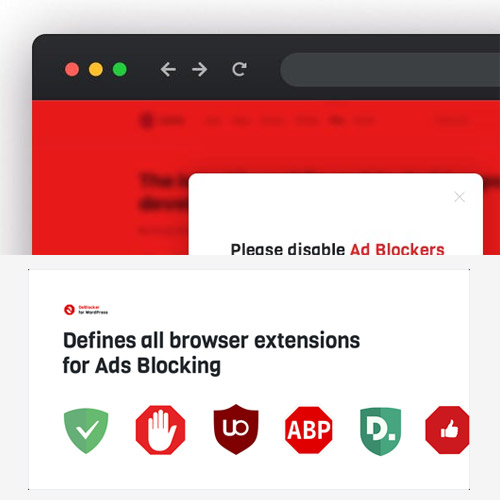

DeBlocker is a premium WordPress plugin designed to protect ad revenue by detecting and restricting access for users with active ad-blocking extensions. Unlike many simpler detectors, it uses an “aggressive” enforcement logic to ensure compliance.
This is EXACTLY the same product as distributed by the developer. Sales Page Documentation
Core Technical Specifications
| Feature | Specification |
| WordPress Version | Compatible with 5.0 up to 6.8+ |
| PHP Requirement | 7.0 or higher |
| Framework Dependency | Native JavaScript only (Works without jQuery) |
| Performance | Lightweight, minified code with minimal impact on PageSpeed |
| Compatibility | All major browsers (Chrome, Firefox, Safari, Edge, Opera, Brave) |
| Responsive Design | Fully mobile-friendly and tablet-optimized |
| Page Builders | Compatible with Elementor, Divi, Gutenberg, WPBakery, Beaver Builder |
Detection Capabilities
DeBlocker is engineered to identify a wide range of ad-blocking technologies:
-
Extensions: AdBlock, AdBlock Plus, uBlock & uBlocker, AdGuard, Poper Blocker, Ads Killer, Adaware, and Easy Ad Blocker.
-
Integrated Blockers: Detects browsers with built-in ad-blocking (e.g., Opera, Brave).
-
Anti-Detection Algorithm: Uses dynamic scripts and randomized folder/file names to prevent the plugin itself from being hidden by ad-blocker filters.
Key Features & Functionality
-
Aggressive Enforcement: In “Strict Mode,” the plugin can block the context menu (right-click), disable text selection/copying, and block hotkeys (Ctrl+C, Ctrl+U) until the ad-blocker is disabled.
-
Multiple Layouts: Choose from 6 display templates, including:
-
Full-Screen Lock: Total content blocking until whitelisting occurs.
-
Modal Windows: Pop-ups with various alignments (Center, Top-Right, Bottom-Left, etc.).
-
-
Dynamic Customization:
-
Content Control: Customize the title, message, and buttons via a built-in text editor.
-
Visuals: Adjust overlay colors, transparency, blur effects, and modal styles to match your theme.
-
-
Targeting & Assignments: * Set the plugin to run sitewide or only on specific pages/posts.
-
Configure a delay (in seconds) before the warning appears to allow users to engage with content first.
-
Analytics & Management
-
Dashboard Status: Check if the required plugin folders are writable for the “Random Folder” algorithm.
-
Localization: Comes with pre-installed languages (EN, DE, ES, FR, IT, etc.) and supports automatic translation for the notification text.
- Categories: WordPress Plugins
- Tags: CodeCanyon