
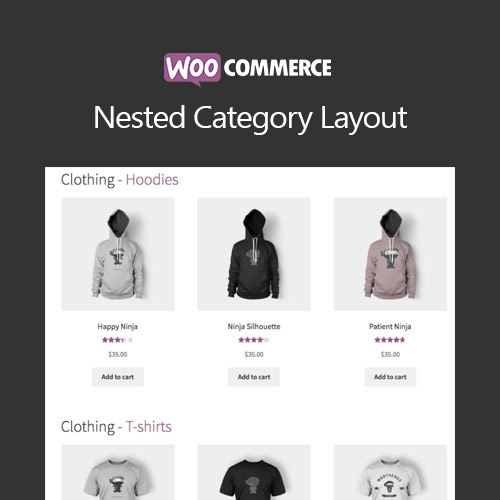

WooCommerce Nested Category Layout organizes product categories into a structured, parent-child visual layout. Ideal for stores with complex catalogs, it enhances navigation by displaying subcategories, thumbnails, and product groups in an intuitive hierarchy. This improves user experience, reduces search time, and helps customers easily browse large inventories with clean, professional category layouts.
This is EXACTLY the same product as distributed by the developer. Sales Page
WooCommerce Nested Category Layout – Introduction
WooCommerce Nested Category Layout is designed for stores with extensive product catalogs, multiple subcategories, or complex hierarchical structures. It enhances category pages by displaying categories and subcategories in a visually nested layout, making products easier to find and improving customer navigation. Ideal for hardware stores, fashion catalogs, multi-department shops, and industrial inventory systems.
Key Features Explained
- Nested Category Display: Automatically groups categories under their parent categories, giving customers a clear visual overview of your entire catalog.
- Customizable Category Thumbnails: Assign images to each category to create a more visually engaging browsing experience.
- Automatic Hierarchy Detection: Detects parent-child category relationships without requiring manual configuration.
- Improved Navigation: Customers can quickly find subcategories without excessive clicking.
- Flexible Layout Options: Choose between grid, list, block, or mixed category layouts.
- Product Count Display: Show how many products are inside each category to guide customer expectations.
- Shortcode Support: Display category layouts anywhere using shortcodes, including pages and widgets.
- SEO Benefits: More structured category pages improve indexing and internal linking.
- Mobile-Responsive Design: Ensures categories look clean and readable on phones and tablets.
- Works with Custom Taxonomies: Supports both standard WooCommerce categories and custom product taxonomies.
Use Cases
- Multi-department stores
- Electronics and parts catalogs
- Automotive product hierarchies
- Fashion stores with nested styles
- Home improvement & tools sections
Getting Started
- Install and activate the plugin
- Assign thumbnails to categories
- Choose display style (grid, list, blocks)
- Apply nested layouts to category pages via settings
- Optional: embed layouts with shortcodes
Summary
WooCommerce Nested Category Layout upgrades your store’s navigation by visually organizing product categories into a parent-child hierarchy. With customizable layouts, automatic detection, responsive design, and SEO benefits, it ensures a smoother browsing experience—especially for stores with large, complex inventories.
- Categories: WooCommerce
- Tags: WooCommerce
