
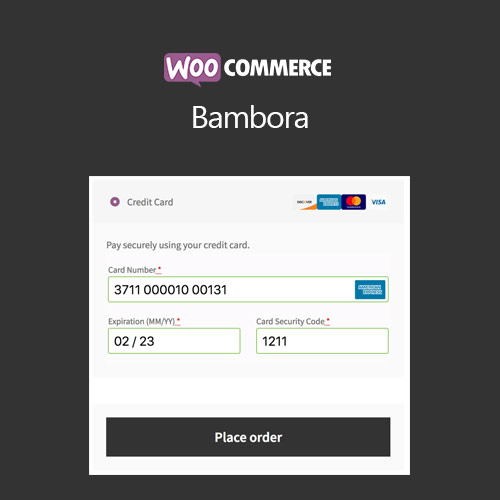

WooCommerce Bambora (Beanstream) integrates the Bambora payment gateway into your WooCommerce store, enabling secure credit card and electronic payment processing. With support for recurring payments, subscriptions, and one-time purchases, it provides a reliable and PCI-compliant solution. The plugin ensures smooth checkout, automatic transaction handling, and full compatibility with WooCommerce features, making it ideal for Canadian and international merchants seeking a trusted payment gateway.
This is EXACTLY the same product as distributed by the developer. Sales Page
WooCommerce Bambora (Beanstream) – Introduction
WooCommerce Bambora (Beanstream) allows online stores to process payments securely using the Bambora gateway. Bambora is a trusted payment provider that offers reliable credit card processing, recurring payments, and subscription management. Integrating this gateway with WooCommerce ensures that merchants can handle one-time and recurring transactions seamlessly while remaining PCI compliant and secure.
The plugin is designed to work with all WooCommerce product types, including variable products, subscriptions, and bundles. Bambora processes payments in real-time, reducing payment errors and cart abandonment. It also provides detailed transaction logs, automatic refunds, and support for multiple currencies where applicable.
Key Features
- Secure Payment Processing: Ensures safe credit card and electronic payments through PCI-compliant Bambora integration.
- One-Time & Recurring Payments: Supports both single purchases and subscription-based billing.
- Automatic Transaction Handling: Handles payments, refunds, and cancellations efficiently without manual intervention.
- Compatibility with WooCommerce Products: Works with simple, variable, subscription, and bundled products.
- Multi-Currency Support: Accept payments in multiple currencies where supported by Bambora.
- Detailed Transaction Logs: Track all transactions, status updates, and customer payment history.
- Responsive Checkout: Provides a smooth and mobile-friendly checkout experience.
- Easy Setup: Configure API credentials, test mode, and live transactions directly from WooCommerce settings.
Getting Started
- Install and activate WooCommerce Bambora (Beanstream).
- Navigate to WooCommerce → Settings → Payments → Bambora.
- Enter your API credentials and enable test mode for initial verification.
- Configure payment options, recurring payment settings, and transaction logging.
- Save settings and perform test transactions before going live.
- Monitor live transactions and ensure proper checkout functionality.
Summary
WooCommerce Bambora (Beanstream) is an ideal solution for merchants needing secure, reliable, and flexible payment processing. By supporting one-time and recurring payments, detailed transaction logging, and compatibility with all WooCommerce product types, it ensures a smooth checkout experience for customers. Its PCI-compliant system builds trust and provides merchants with an efficient, professional payment gateway for online stores.
- Categories: WooCommerce
- Tags: WooCommerce
