
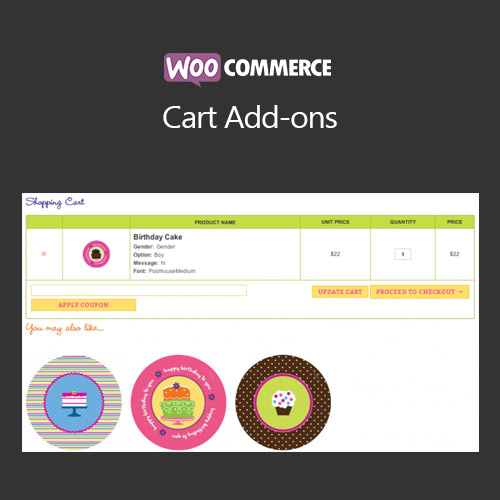

WooCommerce Cart Add-ons enables store owners to offer additional products or services directly in the cart. Customers can easily add related items, upgrades, or complementary products while reviewing their order, boosting average order value. The plugin supports flexible display rules, dynamic pricing, and personalized recommendations, ensuring a seamless upsell experience without disrupting the checkout process. It is perfect for cross-selling and increasing revenue efficiently.
This is EXACTLY the same product as distributed by the developer. Sales Page
WooCommerce Cart Add-ons – Introduction
WooCommerce Cart Add-ons is designed to help store owners increase sales by offering complementary or related products directly in the shopping cart. Instead of waiting for customers to discover upsells on product pages, this plugin allows you to present additional items, services, or upgrades when customers are already committed to purchasing. This seamless experience encourages customers to add more products, increasing the average order value and overall revenue.
The plugin integrates smoothly with WooCommerce and allows store owners to define rules for which add-ons appear, how they are priced, and which products trigger them. It supports variable products, subscription products, and product bundles. Each add-on can include a custom image, description, and pricing to make the recommendation more appealing. It can also display percentage discounts, fixed fees, or dynamic pricing adjustments.
Key Features
- Upsell Products in the Cart: Display additional products that complement the customer’s current selection, improving conversion rates.
- Flexible Display Rules: Show add-ons based on cart contents, product categories, user roles, or order totals.
- Dynamic Pricing Options: Set fixed prices, percentage discounts, or automatically calculate prices for add-ons based on conditions.
- Support for Variable Products: Offer add-ons that match specific variations or subscription options.
- Custom Images and Descriptions: Make add-ons visually appealing with images, titles, and short descriptions.
- Seamless Checkout Integration: Add-ons integrate with the cart without disrupting the checkout process or requiring extra steps.
- Track Add-on Sales: Compatible with WooCommerce reporting to track which add-ons generate the most revenue.
- Responsive Design: Add-ons display correctly on desktop, tablet, and mobile devices.
Getting Started
- Install and activate WooCommerce Cart Add-ons.
- Go to WooCommerce → Cart Add-ons in the admin dashboard.
- Create a new add-on rule and define the conditions (products, categories, cart totals, user roles).
- Set the add-on product, image, description, and pricing.
- Test by adding qualifying products to the cart to ensure the add-on appears correctly.
- Adjust styling or placement as needed to match your store’s theme.
Summary
WooCommerce Cart Add-ons enhances your store’s upselling strategy by offering additional products or services directly in the cart. With flexible conditions, dynamic pricing, visual customization, and seamless integration into the checkout process, it provides a professional and effective way to increase average order value, improve customer satisfaction, and drive incremental revenue without forcing customers to navigate away from the cart.
- Categories: WooCommerce
- Tags: WooCommerce
