
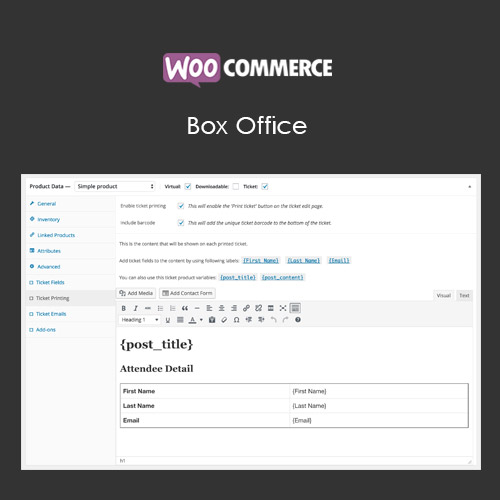

WooCommerce Box Office allows businesses to sell tickets for events directly from their WooCommerce store. With customizable ticket templates, QR code generation, and attendee management, it simplifies event registration and ticketing. This plugin supports multiple ticket types, pricing options, and integration with WooCommerce checkout, ensuring a seamless buying experience. It is ideal for concerts, workshops, conferences, and any ticketed event.
This is EXACTLY the same product as distributed by the developer. Sales Page
WooCommerce Box Office – Introduction
WooCommerce Box Office is a comprehensive solution for selling event tickets through your WooCommerce store. It eliminates the need for third-party ticketing platforms by providing a complete ticketing system directly within WooCommerce. Users can purchase tickets using standard checkout options, while store owners can manage attendees, generate QR codes, and customize ticket templates.
The plugin supports multiple ticket types, including VIP, early bird, and general admission, with separate pricing for each. Event organizers can set ticket limits, sale start/end dates, and customize fields to collect attendee information. QR code scanning at the entrance allows efficient check-in and verification, streamlining event management and improving customer experience.
Key Features
- Sell Tickets via WooCommerce: Create events and sell tickets directly through the store.
- Custom Ticket Templates: Design tickets with branding, event info, and QR codes.
- Multiple Ticket Types: Support VIP, early bird, general admission, and custom tickets.
- Attendee Management: Track attendees, manage check-ins, and export attendee lists.
- QR Code Integration: Generate QR codes for fast, reliable event entry.
- Flexible Pricing: Set different prices, discounts, or promotional offers for tickets.
- Custom Fields: Collect attendee information like name, email, or special requirements.
- Seamless WooCommerce Checkout: Integrates with standard checkout flow and payment gateways.
Getting Started
- Install and activate WooCommerce Box Office.
- Go to WooCommerce → Products → Add New and select “Box Office Ticket” type.
- Configure ticket types, pricing, sale dates, and maximum quantities.
- Design custom ticket templates and enable QR code generation.
- Publish the event and monitor sales through WooCommerce orders.
- Use attendee management tools and QR scanning for event check-in.
Summary
WooCommerce Box Office offers an all-in-one solution for event ticketing within WooCommerce. With support for multiple ticket types, QR codes, custom templates, and attendee management, it streamlines the ticketing process for both organizers and attendees. Integrating seamlessly with WooCommerce checkout ensures a smooth purchasing experience, making it an essential tool for businesses selling tickets for events of any size.
- Categories: WooCommerce
- Tags: WooCommerce
