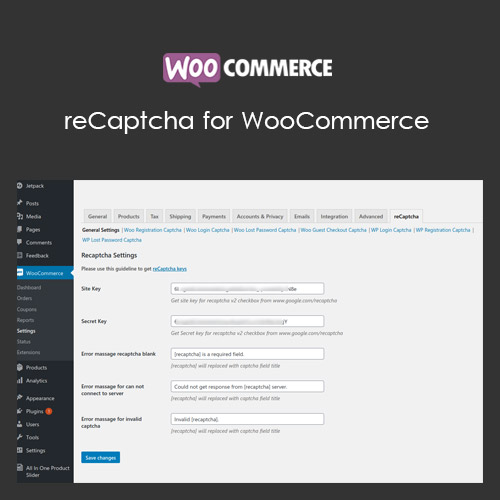

reCaptcha for WooCommerce protects your store from spam, bots, and malicious registrations by integrating Google reCAPTCHA into checkout, login, and registration forms. It ensures only real users can interact with your store while maintaining a seamless customer experience. With support for multiple reCAPTCHA versions, customizable placement, and visual and invisible options, the plugin enhances security without hindering legitimate users.
This is EXACTLY the same product as distributed by the developer. Sales Page
reCaptcha for WooCommerce – Introduction
reCaptcha for WooCommerce is a security plugin that integrates Google reCAPTCHA into your WooCommerce store to prevent spam, bot attacks, and fraudulent registrations. It can be applied to login, registration, and checkout forms, ensuring that only real users can complete actions while keeping the process smooth for legitimate customers. This is essential for maintaining store integrity and protecting sensitive data.
The plugin supports multiple versions of Google reCAPTCHA, including v2 and v3, with options for visual or invisible challenges. Admins can customize placement, appearance, and validation behavior. This helps balance security and user experience, minimizing disruptions while protecting your store from automated threats. It also provides detailed logs for failed or suspicious attempts.
Key Features
- Spam & Bot Protection: Prevent automated registrations, fake orders, and spam submissions.
- Multiple Form Support: Apply reCAPTCHA to checkout, login, registration, and password reset forms.
- Google reCAPTCHA v2 & v3: Supports both visible and invisible reCAPTCHA versions for flexible security.
- Custom Placement: Choose where the reCAPTCHA appears on forms for optimal UX.
- Seamless User Experience: Real customers can proceed easily while bots are blocked.
- Validation & Logging: Track failed attempts and suspicious activity for improved security.
- Easy Setup: Configure API keys, form integration, and settings from WooCommerce dashboard.
- Responsive Design: reCAPTCHA works on all devices including mobile and tablets.
Getting Started
- Install and activate reCaptcha for WooCommerce.
- Go to WooCommerce → reCaptcha settings in the admin dashboard.
- Enter Google reCAPTCHA API keys and choose your version (v2 or v3).
- Select the forms where reCAPTCHA will be enabled.
- Customize placement, appearance, and optional validation messages.
- Save settings and test by registering, logging in, or completing a checkout.
Summary
reCaptcha for WooCommerce provides robust protection against spam, bots, and fraudulent activity on your store. With support for multiple reCAPTCHA versions, customizable form placement, and detailed logs, it secures registration, login, and checkout forms without hindering legitimate customers. It is an essential tool for maintaining store security, protecting sensitive data, and ensuring a smooth, trustworthy shopping experience.
- Categories: WooCommerce
- Tags: WooCommerce